

Single-Batch Client Approval
Single-batch client approvals in Ruddr allow you to submit a batch of time and expenses for a specific project and timeframe to a client for approval. This submission would typically be done on a periodic basis, such as weekly or monthly, prior to invoicing. As most clients do not require this extra level of approval workflow, the client approval feature is off by default in Ruddr. To turn it on, go to the project’s Settings tab and check the Enable client approvals checkbox within the Approval Options section (Figure 1) of the Overview. To edit a project in Ruddr, your security role must give you access to the project and must also have the Edit project permission.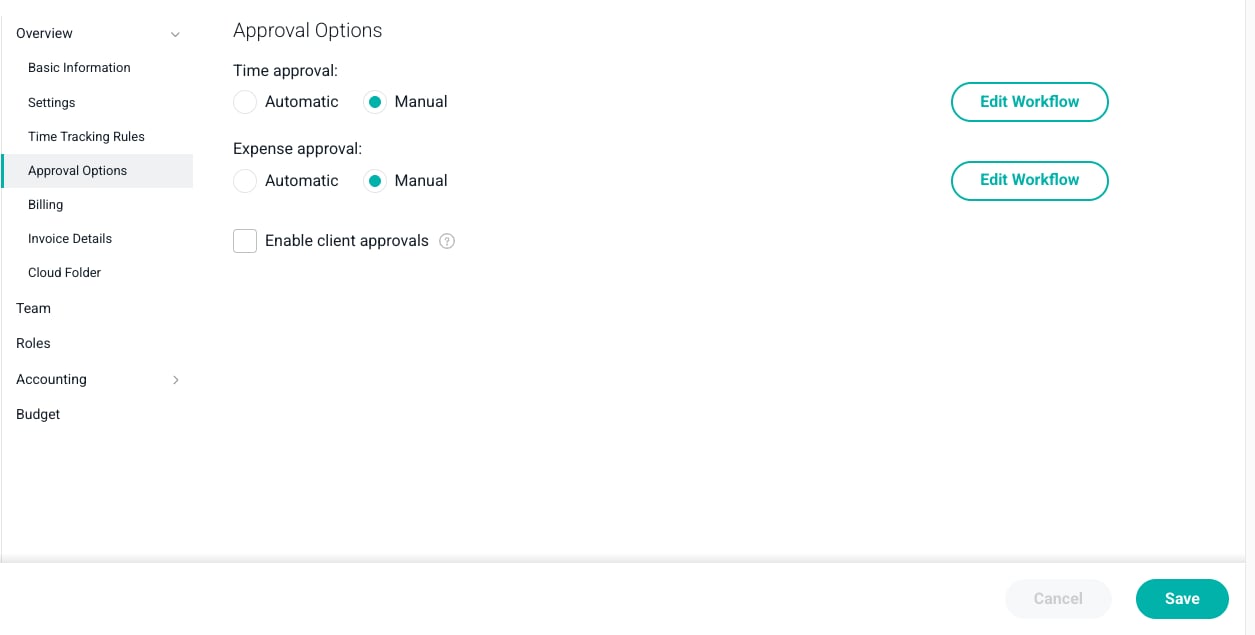
Figure 1 - Approval Options in Project Settings
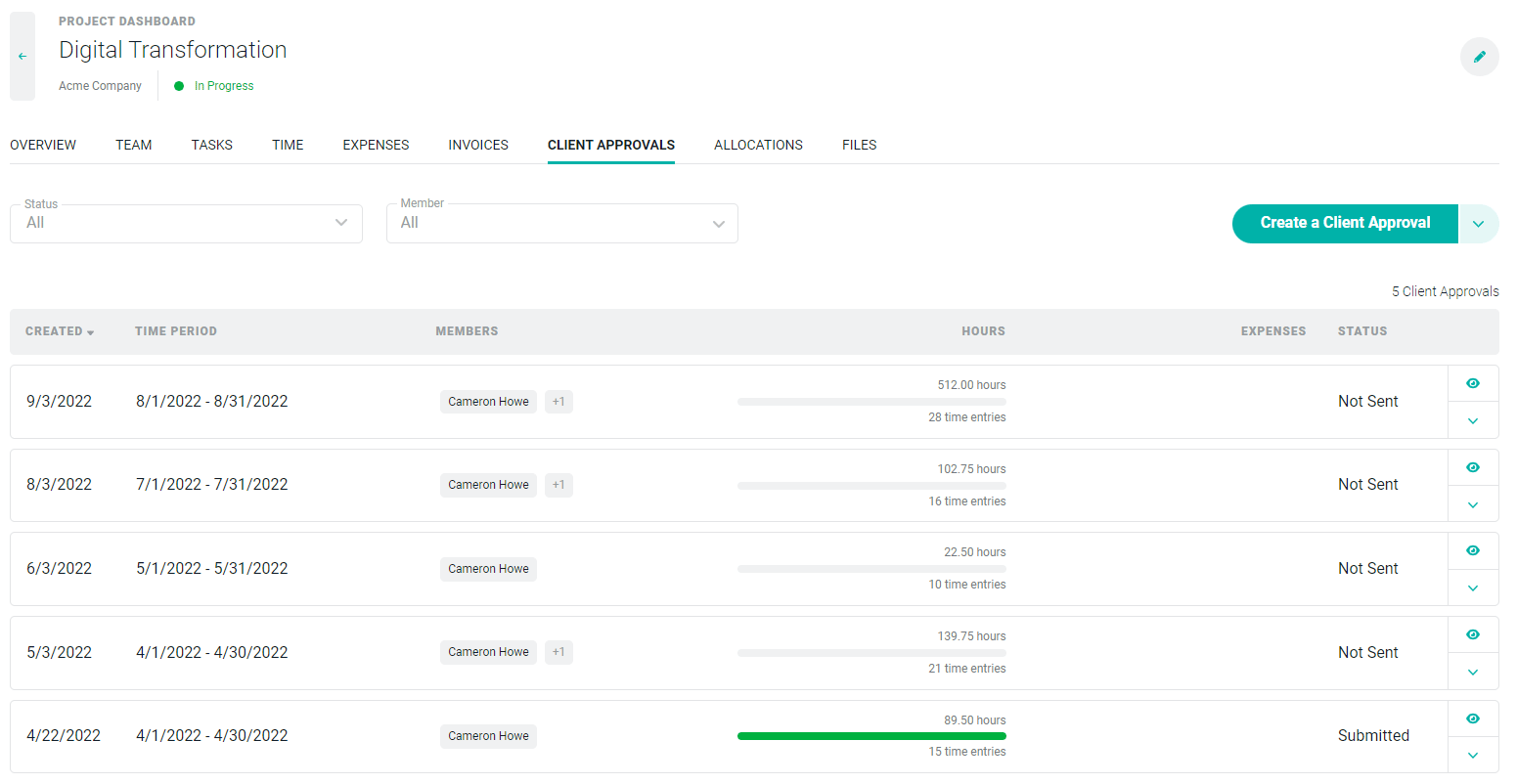
Figure 2 - A New Tab Appears when Client Approvals are Enabled
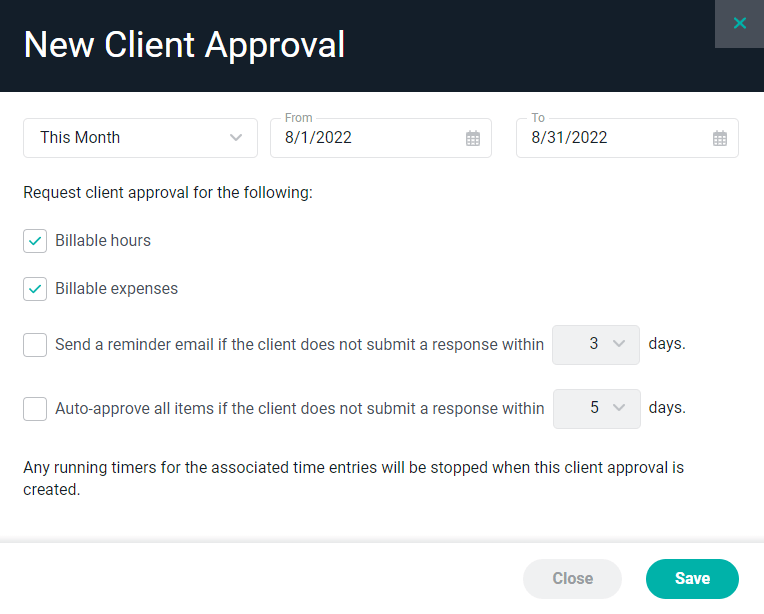
Figure 3 - Create a new Client Approval
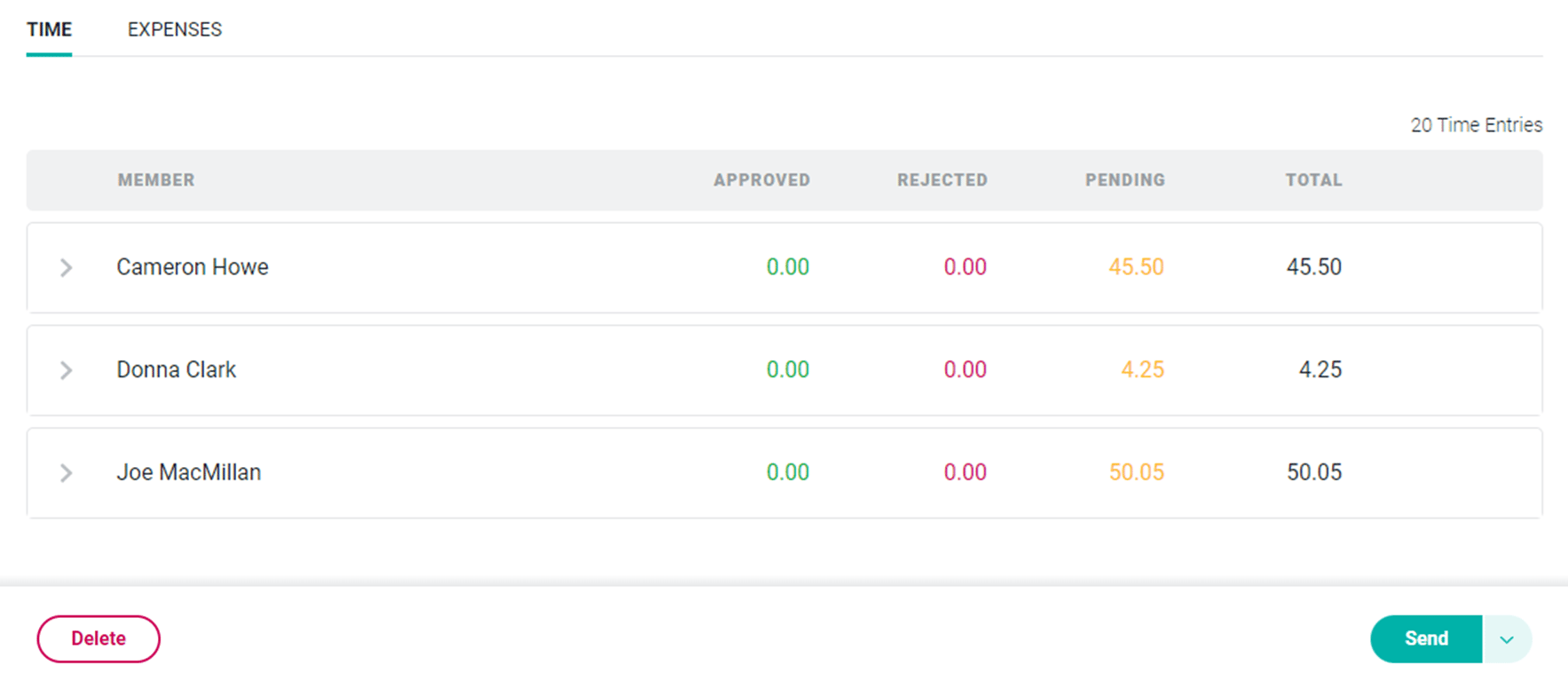
Figure 4 - Time Details Submitted for Client Approval
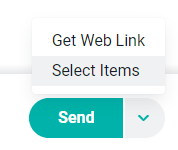
Figure 5 - Select Items to Add or Remove from Client Approval
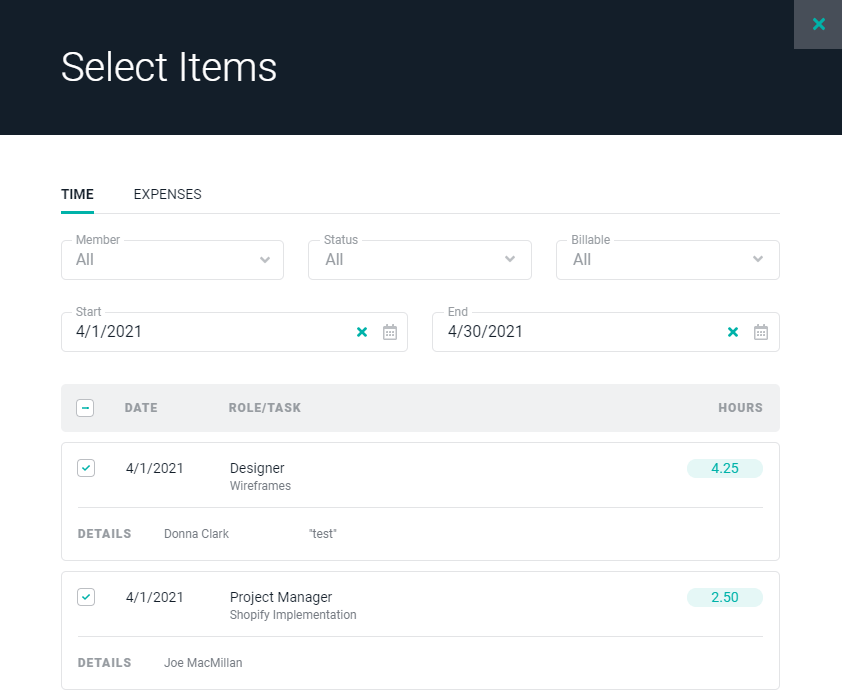
Figure 6 - Select the Time and/or Expense Items to be Included for Client Approval
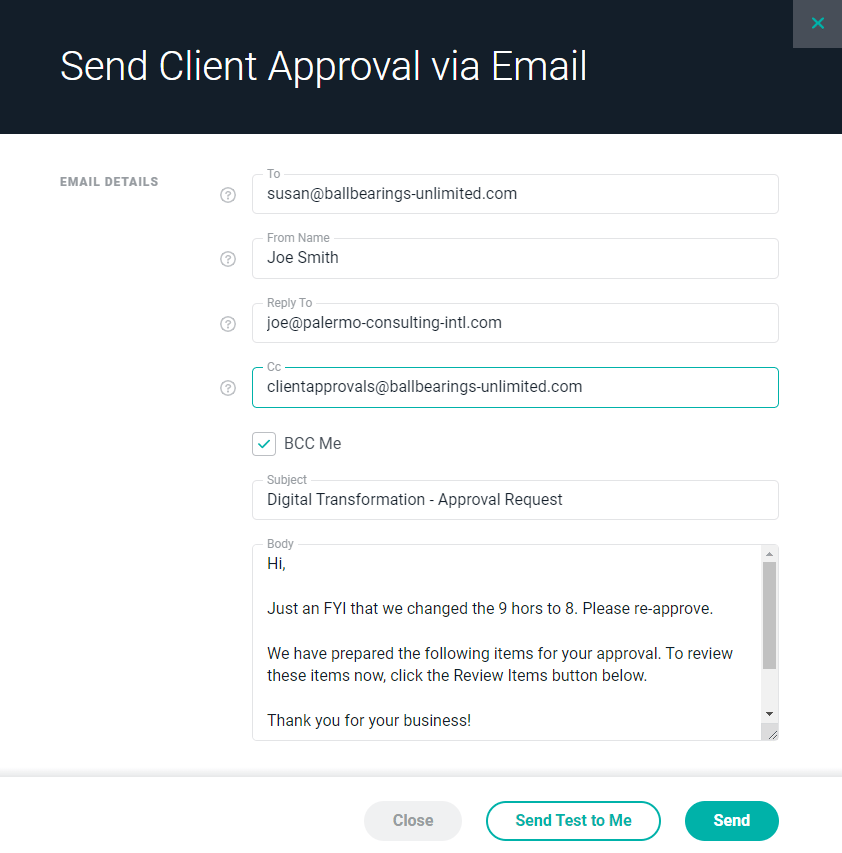
Figure 7 - Email Settings for Client Approval
What Your Client will See
The client email will include a Review Items button that will take the contact to a screen (Figure 8) where the review and approval process can be completed. This screen is similar to the internal view of the approval except that it includes actions and notifications related to the review process. Additionally, the client will have the ability to view any prior client approvals. For those client approvals that remain outstanding, they will have the ability to take action on those as well. This can be accomplished by selecting from a list of client approvals that are available via a dropdown menu at the top of the screen.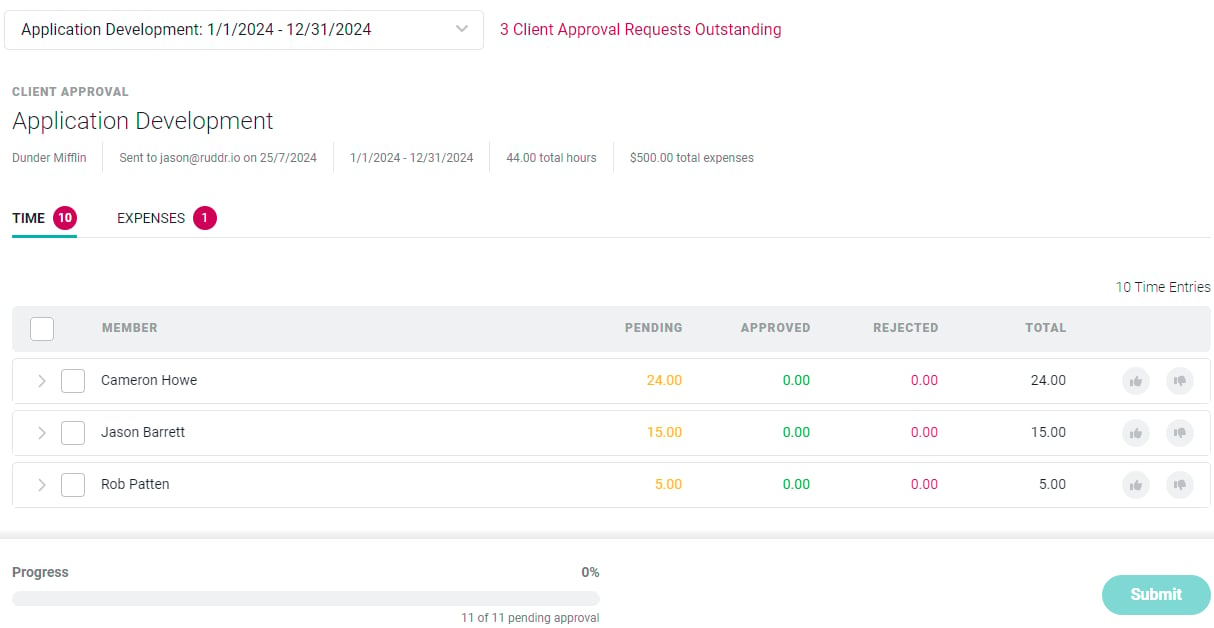
Figure 8 - Client Approval Screen

Figure 9 - Approval Button / Action Menu

Figure 10 - Item-by-Item Approval is Available by Using the Approve / Reject Buttons on the Item Row

Figure 11 - The Progress Bar Displays the Number of Items Pending Approval / Approved
Scheduled Client Approvals
For many projects, you may want to schedule client approvals such that they are automatically created and sent to the client on a periodic basis. Ruddr provides a mechanism for you to set up these client approval schedules. To manage your client approval schedules, open the Client Approval Schedules drawer (Figure 13) by clicking the action menu on the Create a Client Approval button (Figure 12) that is found on the Client Approval tab (Figure 2) on the Project Dashboard.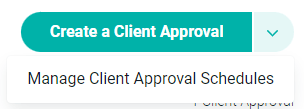
Figure 12 - Manage Client Approval Schedules from the Action Menu on the Client Approvals Tab
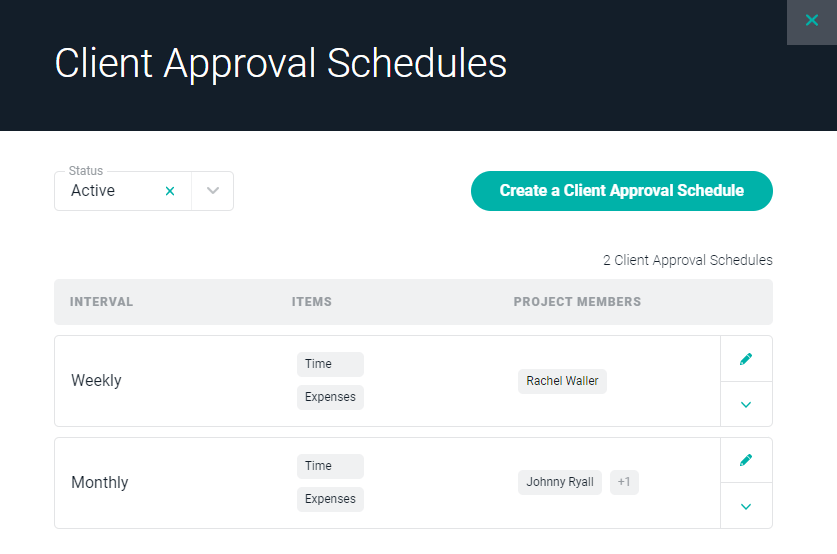
Figure 13 - Manage your Client Approval Schedules
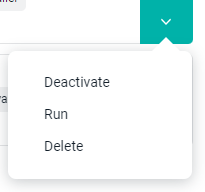
Figure 14 - Client Approval Schedule Action Menu
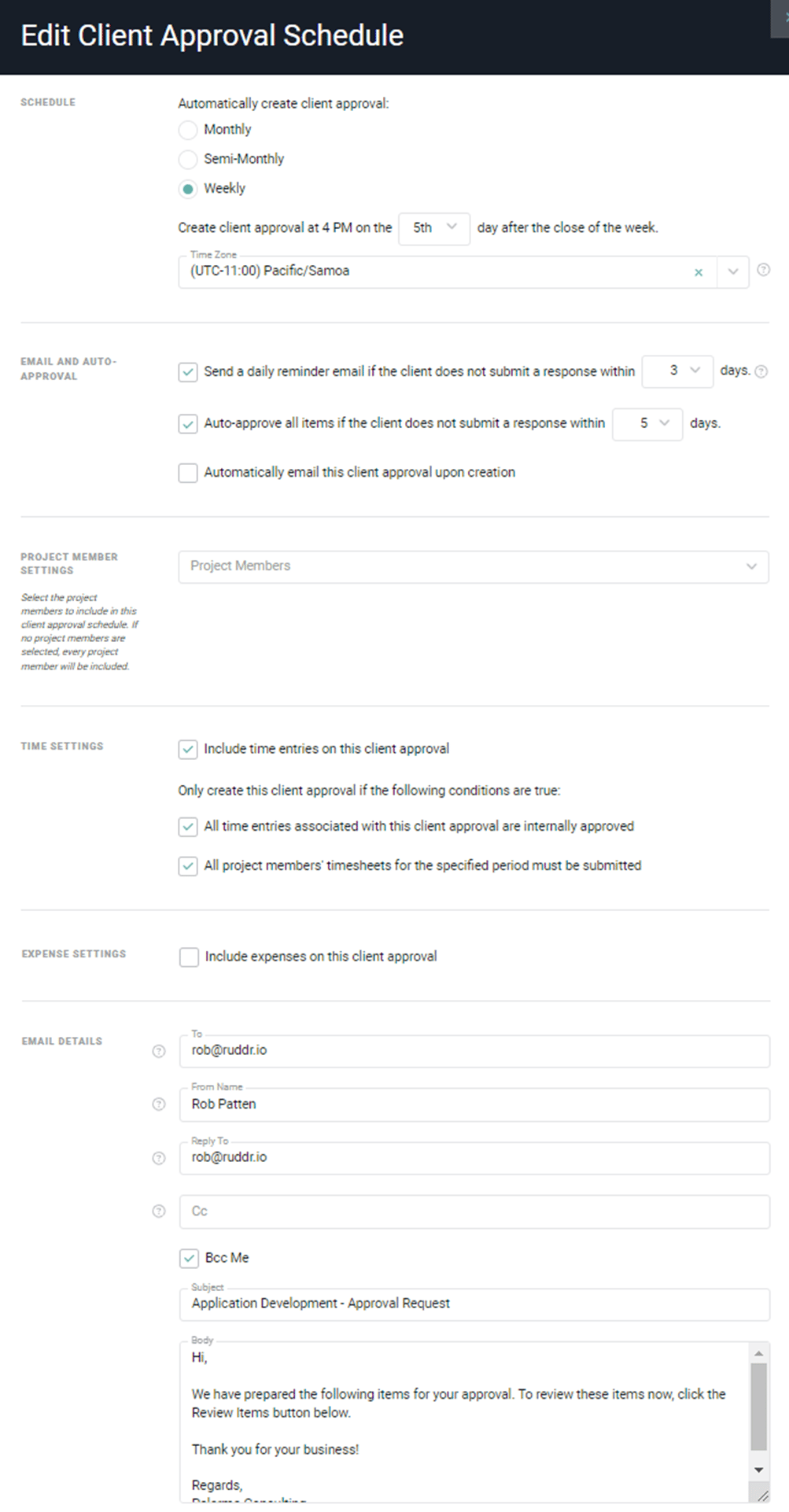
Figure 15 - Create a new Client Approval Schedule