

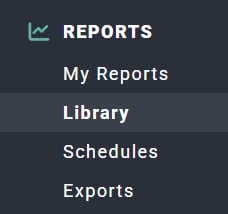
Figure 1 - Clicking on Library in the Reports Section of the Main Nav Bar to Access the Reports Library
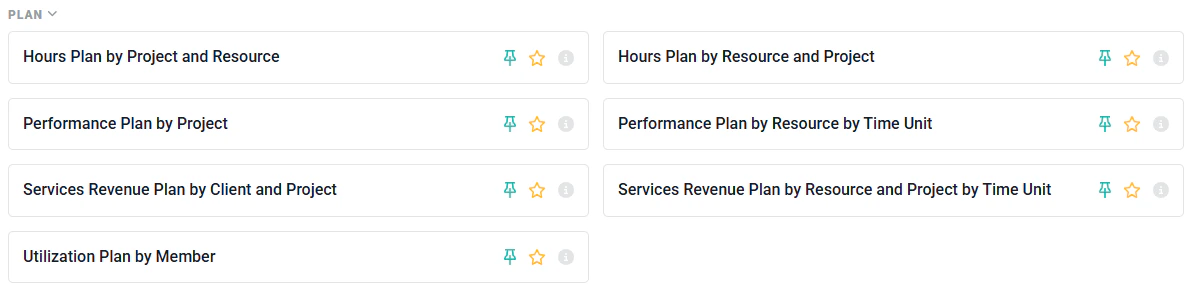
Figure 2 - Plan Reports in the Report Library
- Month
- Week
- Day
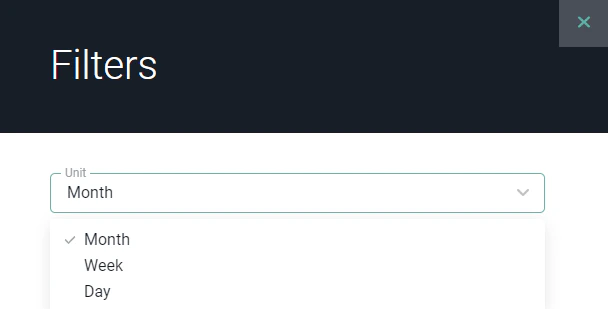
Figure 3 - Change the Unit by which you Choose to View the Plan Reports
Hours Plan by Project and Resource
A summary of allocated hours grouped by project and the resources allocated to that project. This report will show allocated hours for members and for resource placeholders. Planned hours totals are available for each project.Hours Plan by Resource and Project
A summary of allocated hours grouped by resource and the projects that each resource is allocated to. This includes both members and resource placeholders. Planned hours totals are available for each resource.Performance Plan by Project
A summarized project performance plan, derived from resource allocations, billing schedule milestones, manual revenue recognition ledger entries, expense items, and other items to bill. This report includes the following planned metrics for projects in your workspace:- Hours
- Revenue
- Effective Bill Rate
- Cost
- Profit
- Margin
Services Revenue Plan by Client and Project
Ruddr leverages billable allocations and Fixed Fee ledger entries to project services revenue. These allocations must be made to a billable project role that has an associated bill rate. That planned services revenue is available in the Services Revenue Plan by Client and Project report, which provides a view of the revenue grouped by client and project. There is a summary total of planned services revenue for each client. Multicurrency and the Services Revenue Plan by Client and Project Report For workspaces that leverage Ruddr’s Multicurrency feature, the Services Revenue Plan by Client and Project report provides the user with the ability to select the currency (Figure 4) that will be displayed (in addition to the project’s currency) and also used for the CSV / Excel export.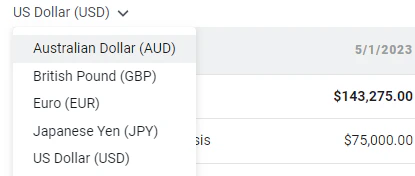
Figure 4 - Currency Selector on the Services Revenue Plan by Client and Project report

Figure 5 - Amounts are Available in a Single Currency while the Project's Currency is also Displayed
Services Revenue Plan by Resource and Project by Time Unit
Includes a list of all Resources and the planned services revenue, with the option to break out by Day / Week / Month. You can hover over each metric to view the following:- Services Revenue
- Services Cost
- Services Gross Profit
- Services Gross Margin
Utilization Plan by Member
A projection of utilization based on members’ future allocations. The utilization metrics available in this report are:- Billable Utilization (default)
- Client Utilization
- Productive Utilization
- Total Utilization
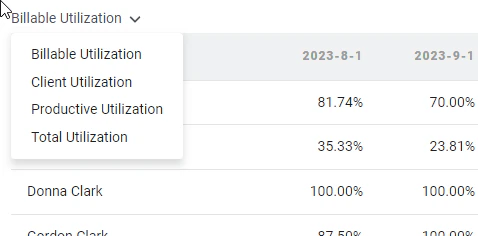
Figure 6 - Alternate Between Metrics Using the Metric Selector in the Report
Utilization Plan by Member Practice
A projection of utilization based on members’ future allocations grouped by member practice. The utilization metrics available in this report are:- Billable Utilization (default)
- Client Utilization
- Productive Utilization
- Total Utilization