

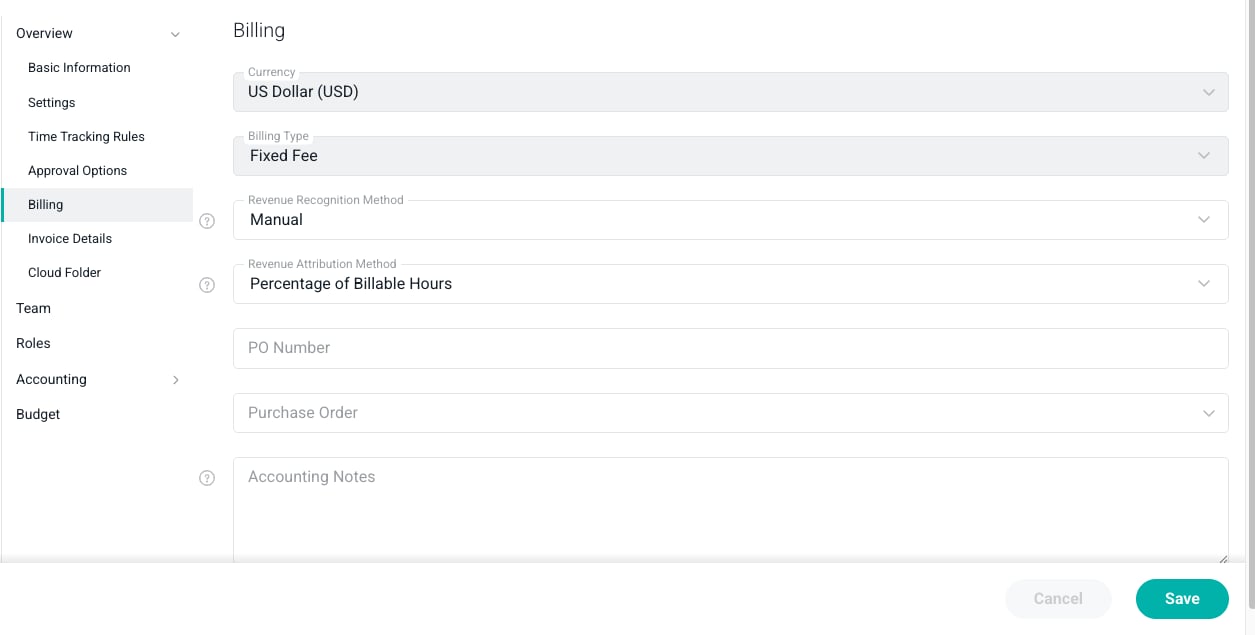
Figure 1 - Specify the Billing Type in the Billing Section of the Settings Tab
Time and Materials
The Time & Materials billing type is the most common billing arrangement in professional services. With this billing type, the client is billed for the hours that are worked and the expenses that are incurred. Additionally, if there are materials that are purchased during the delivery of the project, they are also charged back to the client. With Time & Materials projects in Ruddr, you have the option of associating bill rates to project roles or directly to project team members. To assign bill rates to team members, access the Team section (Figure 2) of the project’s Settings tab. For each member that you add to the team, you can designate whether that team member is billable or non-billable, and if billable, you can assign a bill rate to that member.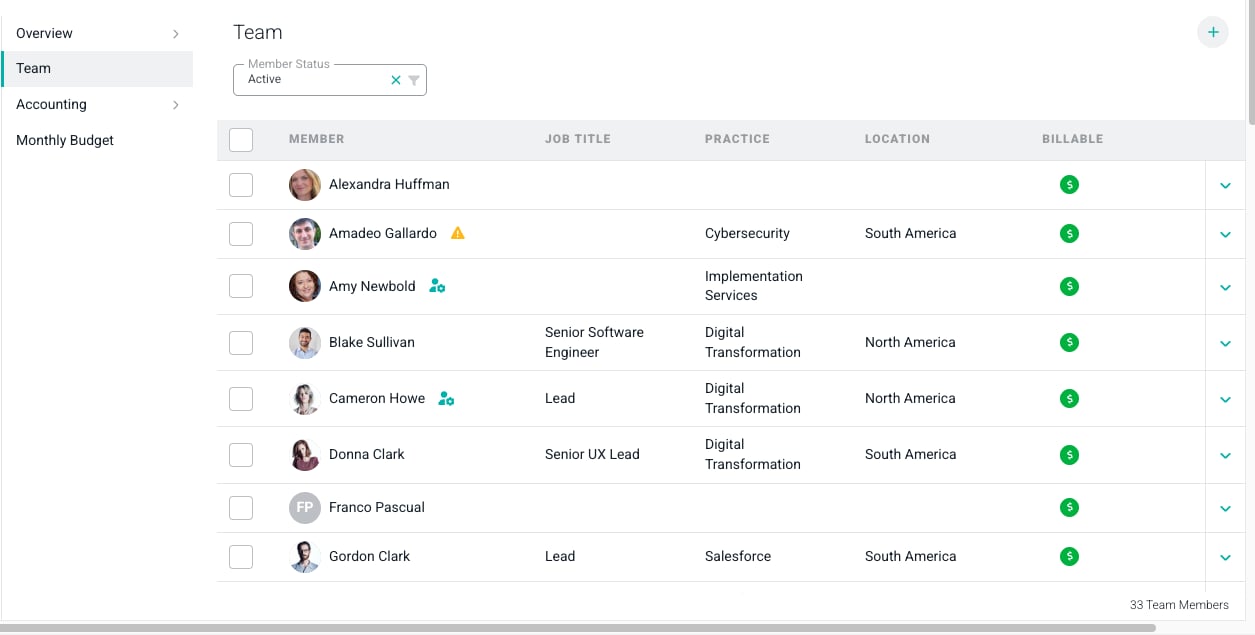
Figure 2 - Assign Workspace Members to the Project Team and Specify Bill Rates as Needed
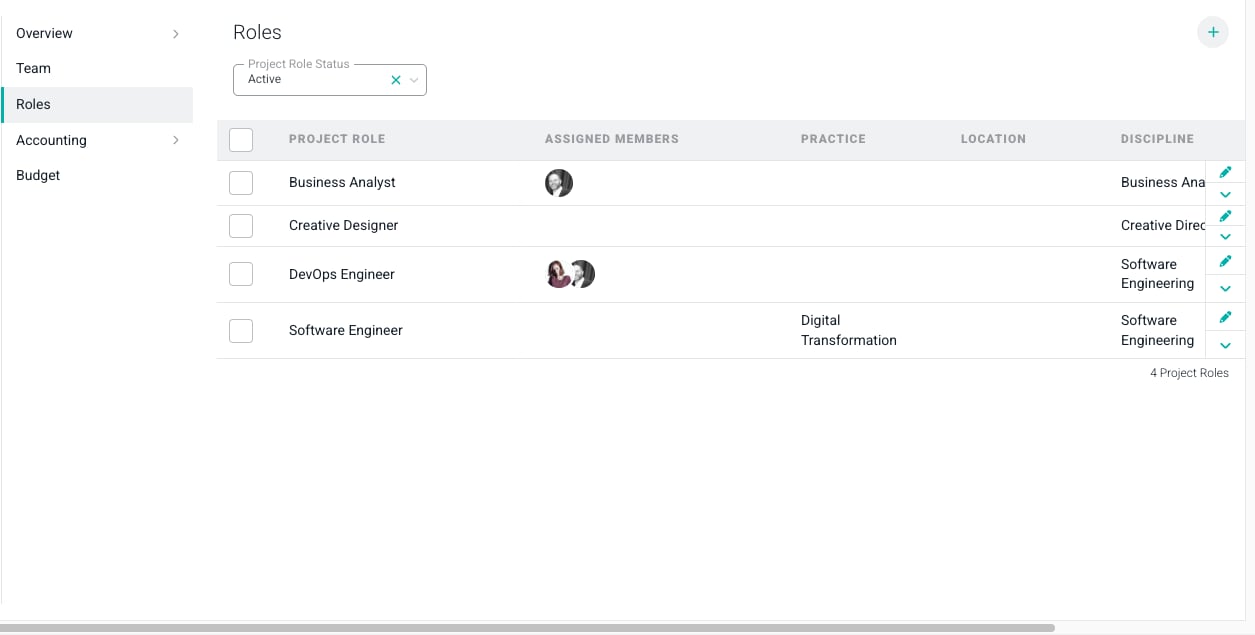
Figure 3 - Create and Manage Roles and Role Assignments for your Project
Fixed Fee
A Fixed Fee project is one in which the client agrees to pay a fixed amount for the delivery of the project. Once you select the Fixed Fee billing type, a Revenue Recognition Method field (Figure 4) will be shown where you can specify revenue should be recognized for reporting purposes. The five methods available are:- As Invoiced
- Manual
- Automated - Percentage of Billable Hours
- Automated - Percentage of Time & Materials Revenue
- Automated - Percentage of Services Cost
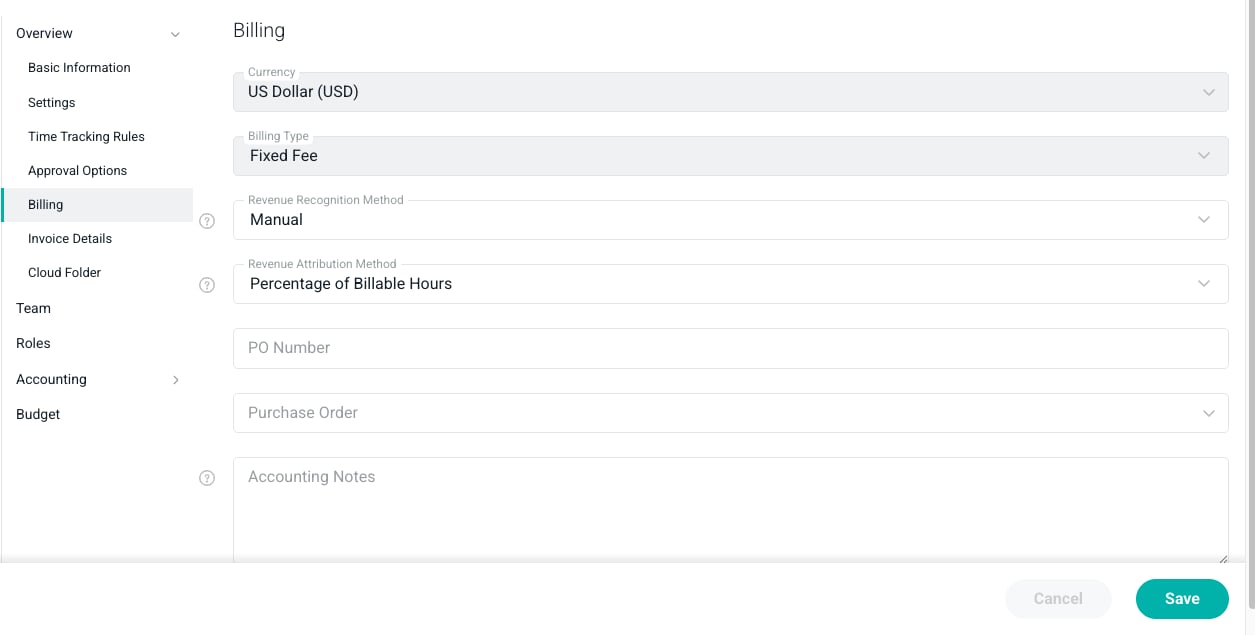
Figure 4 - Selecting a Fixed Fee Billing Type will Require Additional Information
- Percentage of Billable Hours
- Percentage of Time & Materials Revenue
- Percentage of Services Cost
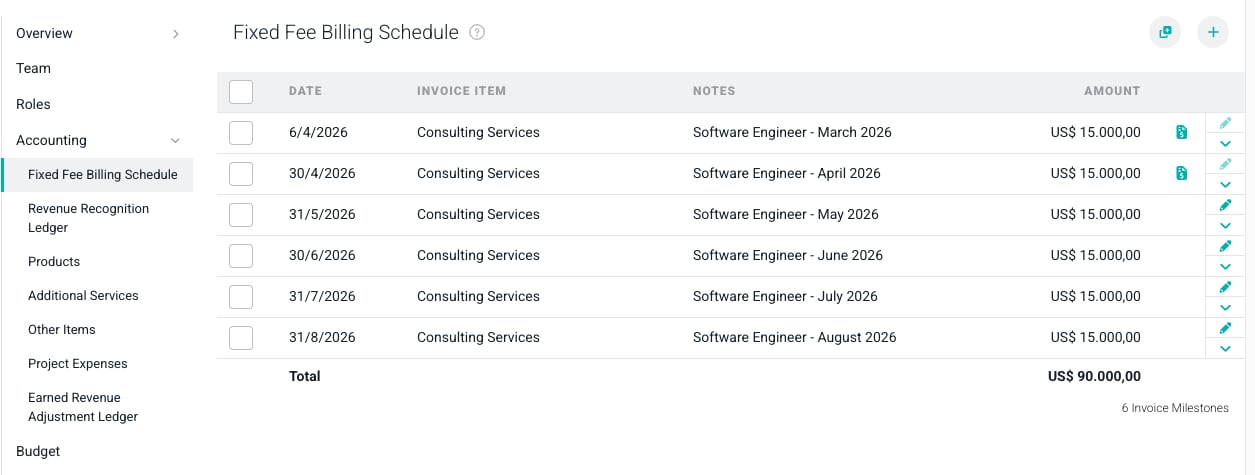
Figure 5 - Configure the Billing Schedule for a Fixed Fee Project
Fixed Monthly
The Fixed Monthly billing type is ideal for projects in which you charge a fixed amount per month over a fixed number of months. The Fixed Monthly billing type is similar to the Fixed Fee billing type with the key difference being that Ruddr provides you with a mechanism to generate multiple, recurring items in the billing schedule (Figure 7) for Fixed Monthly projects. This schedule is located in the Accounting section (Figure 7) of the project’s Settings tab. For more on setting up a Fixed Monthly project’s billing schedule, please refer to the Fixed Fee Billing Schedule article in the Ruddr Help Center.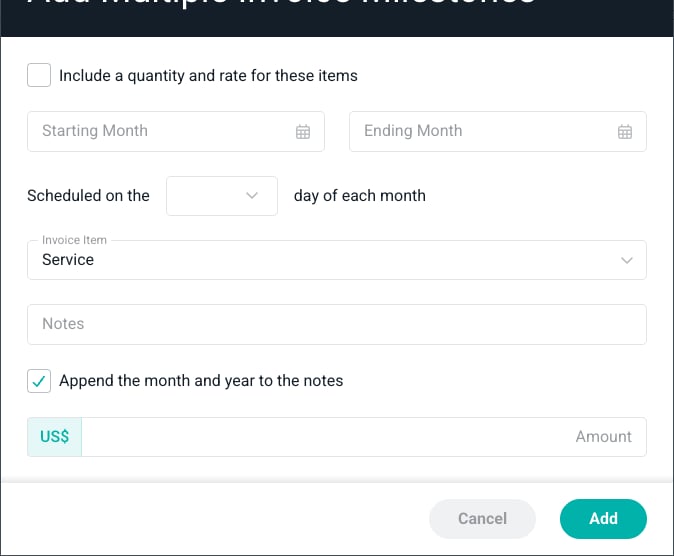
Figure 7 - The Add Multiple Button on the Fixed Monthly Billing Schedule Allows for Multiple, Recurring Milestones