

- Members
- Clients
- Client Contacts
- Projects
- Project Team Members
- Project Tasks
- Project Roles
- Project Health by Project
- History
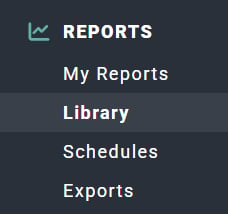
Figure 1 - Clicking on Library in the Reports Section of the Main Nav Bar to Access the Reports Library

Figure 2 - Workspace Reports in the Report Library
Client Contacts
View a list of client contacts grouped by client, including:- Client Name
- Contact Name
- Contact Title
- Contact Info
- Contact Email
- Contact Office Phone
- Contact Mobile Phone
Clients
A list of clients in your workspace. This report defaults to exclude archived clients by setting the Client Archived filter to “No”. This report includes:- Client Name
- Client Practice
- Client Relationship Owner
- Client Created On Date
History
The History report provides insight into any actions that have been tracked on the following items:- Allocations
- Clients
- Client Approvals
- Credit Notes
- Expense Items
- Invoices
- Projects
- Time Entries
Members
This report provides a list of members in your workspace. The report defaults to include Active members only by applying the Member Active filter to a value of “Yes”. This report includes the following member properties:- Name
- Type
- Billability
- Security Role
- Status
- Manager
- Last Active Date
Project Health by Project
The Project Health by Project report displays a list of projects and their current project health scoring, as calculated from the most recent Project Health Report. This report provides the following project health details:- Project Name
- Client Name
- Budget Health Rating
- Schedule Health Rating
- Client Satisfaction Rating
- Team Satisfaction Rating
- Project Health Score
- Project Health Report Date
Project Roles
This report presents a list of projects/clients grouped by roles. The report defaults to exclude archived projects by setting the Project Archived filter to “No” and also excludes inactive roles by setting the Project Role Status filter to “Active”. This report includes:- Project/Client
- Status
- Assigned To
- Bill Rate
- Hours
- Services Revenue
Project Tasks
This report presents a list of project tasks grouped by project. The report defaults to exclude archived projects by setting the Project Archived filter to “No” and also excludes archived tasks by setting the Task Archived filter to “No”. This report includes:- Project Name
- Client Name
- Task Name
- Task Status
- Start Date
- End Date
- Assigned To
- Hours (Actual and Budget)
- Revenue (Actual and Budget)
Project Team Members
Each project and its corresponding list of team members is available via this report. The report defaults to exclude archived projects by setting the Project Archived filter to “No”. Included in this report are the following values:- Project Name
- Client Name
- Member Name
- Team Assignment Status
- Member Type
- Project Role(s)
- Member Practice
- Member Discipline
Projects
A list of projects in your workspace. This report defaults to exclude archived projects by setting the Project Archived filter to “No”. This report includes:- Project Name
- Client Name
- Project Type
- Status
- Project Admin
- Billing Type
- Practice
- Created On Date