

Once an invoice has been published, it can be sent to the client by Ruddr via email. To do this, simply select the Send option from the invoice menu (Figure 1) available on the invoices list or when viewing invoice details.
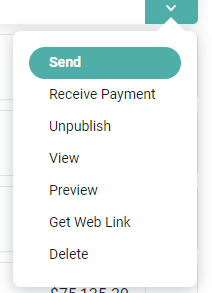
Figure 1 - Send an Invoice to the Client from the Invoice Action Menu
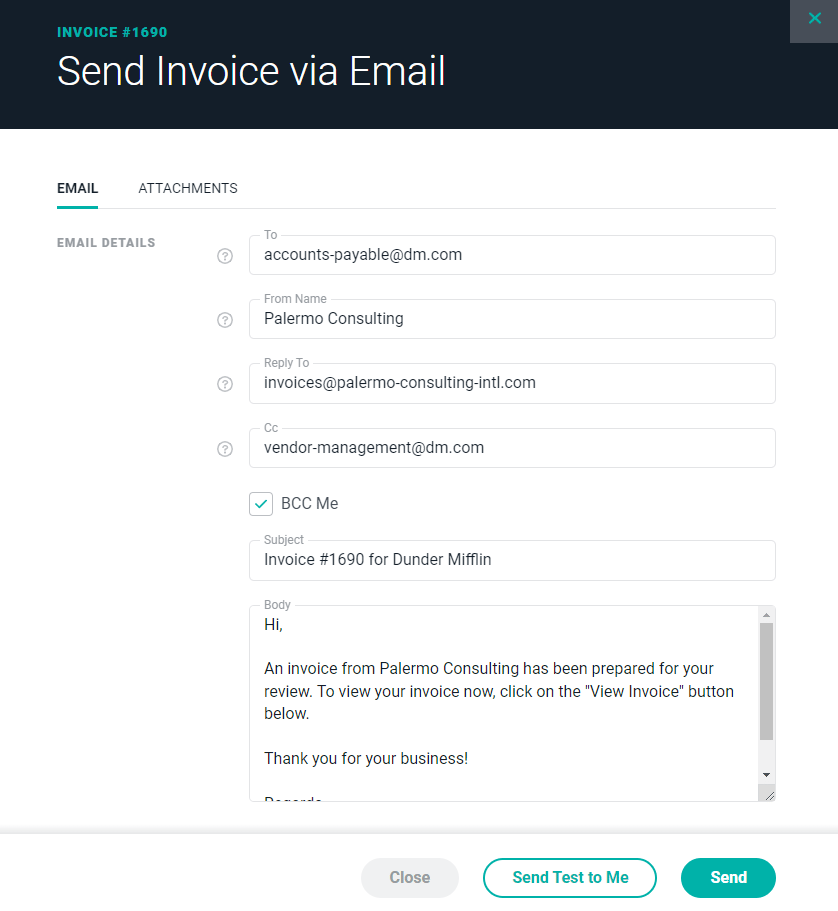
Figure 2 - Configure the Invoice Email being sent to the Client
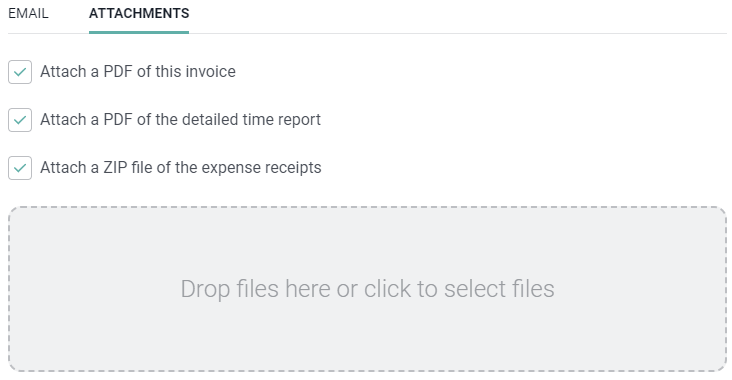
Figure 3 - Attach Files to the Invoice Email and / or Specify to Include Supporting Invoice Files as Attachments

Figure 4 - Prior to Sending to the Client, you can have a Test Email sent to your Inbox for Validation
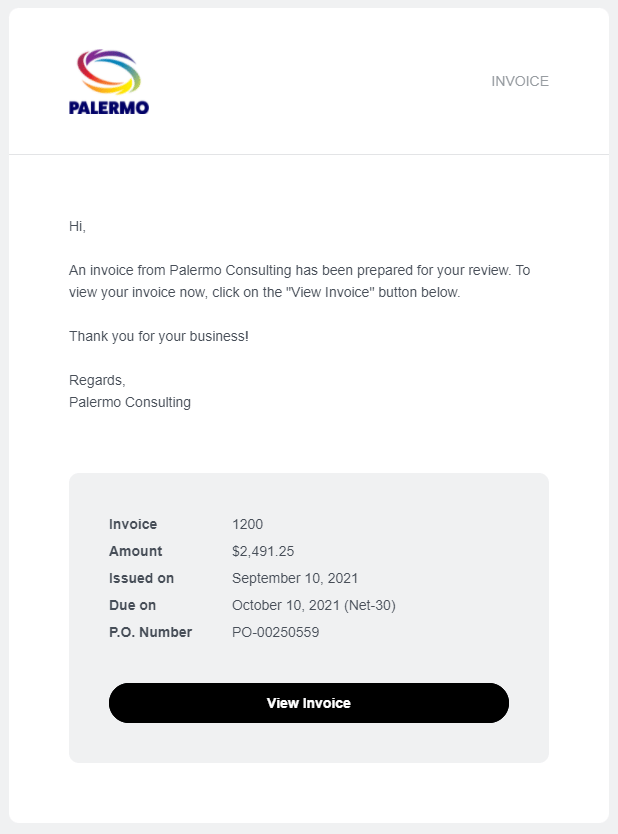
Figure 5 - Sample Email that Client will Receive when Sending an Invoice via Email