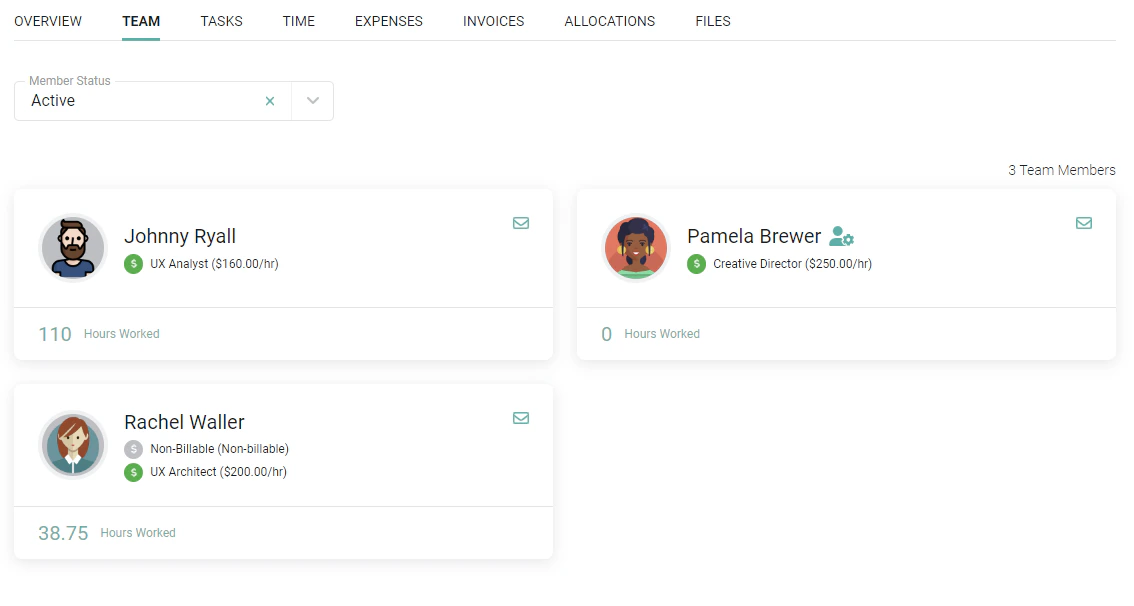
Every project in Ruddr must have at least one assigned Project Admin. The Project Admin is a project team member who is responsible for project configuration and administering time and expense for that project. In most companies, the Project Admin is set to the workspace member who is managing the project on a day-to-day basis, however you may decide to assign these responsibilities to other workspace members. You can determine the Project Admins for any project by simply clicking on the Team tab (Figure 1) of the Project Dashboard. The Project Admins will have a green icon next to their name on the member card.Documentation Index
Fetch the complete documentation index at: https://help.ruddr.io/llms.txt
Use this file to discover all available pages before exploring further.


Specifying Additional Project Admins
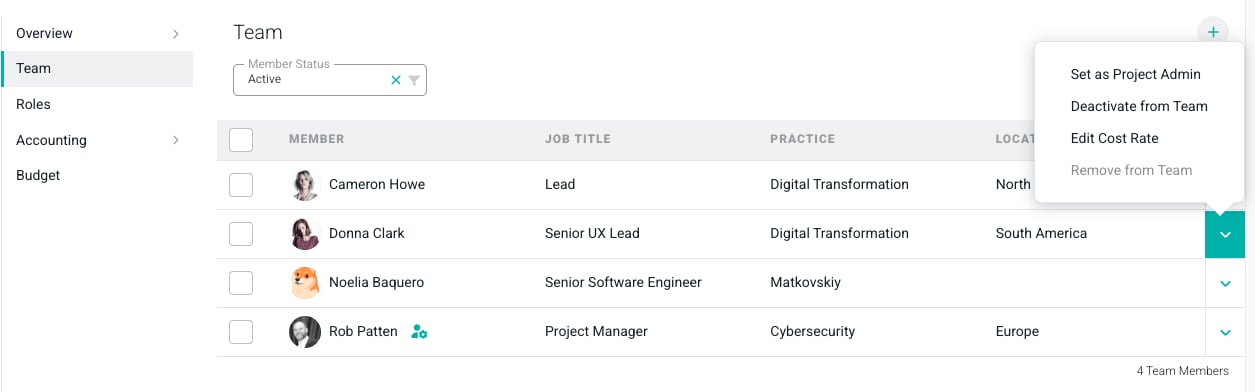
There may be instances where you wish to specify multiple Project Admins on a project. Perhaps you have a non-billable, operational-focused member in your workspace that will take on administrative duties, or you wish to split some project administration duties amongst two billable team members. You can set additional Project Admins from the Team tab of the Edit Project drawer by editing current team members. To edit a team member, click the Edit pencil (Figure 3) on the row of the member you wish to edit.