

Rates by Project Role
If a project has been set up to use roles, the Roles section (Figure 1) of the project’s Settings tab is where bill rates get assigned to those roles. When a project uses roles, bill rates are never assigned directly to project team members. An advantage of using roles is that a single project team member can bill at different rates on the project by being assigned to different roles. At the top of the list of roles, there is a filter that allows you to switch between active and inactive roles. By default, only active roles are shown. If a project has been in motion for a long time, it could have several inactive roles. To set the bill rate for each role, simply click the edit icon on the right end of the row and type in the bill rate.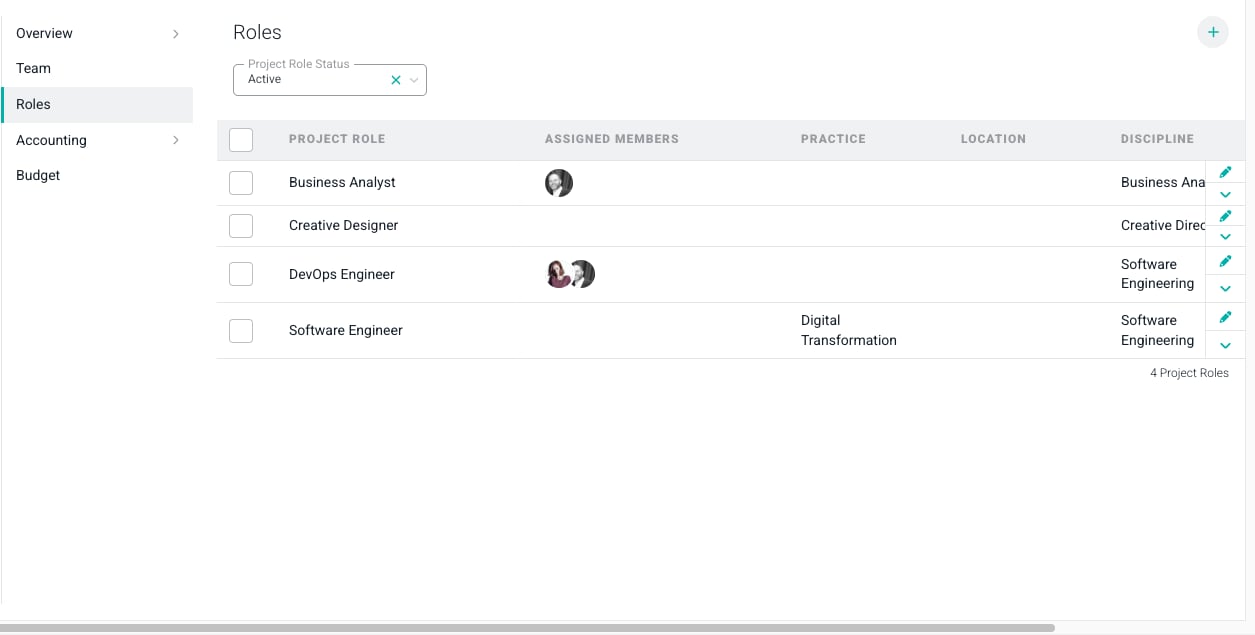
Figure 1 - If Using Project Roles, set Project Bill Rates in the Roles Section of the Settings Tab
Rates by Project Team Member
If a project is not set up to use roles, project bill rates can be assigned to individual team members via the Team section (Figure 2) of the Settings tab. The rate for each project team member can be set by choosing the Edit Bill Rate option from the action menu at the right end of the row.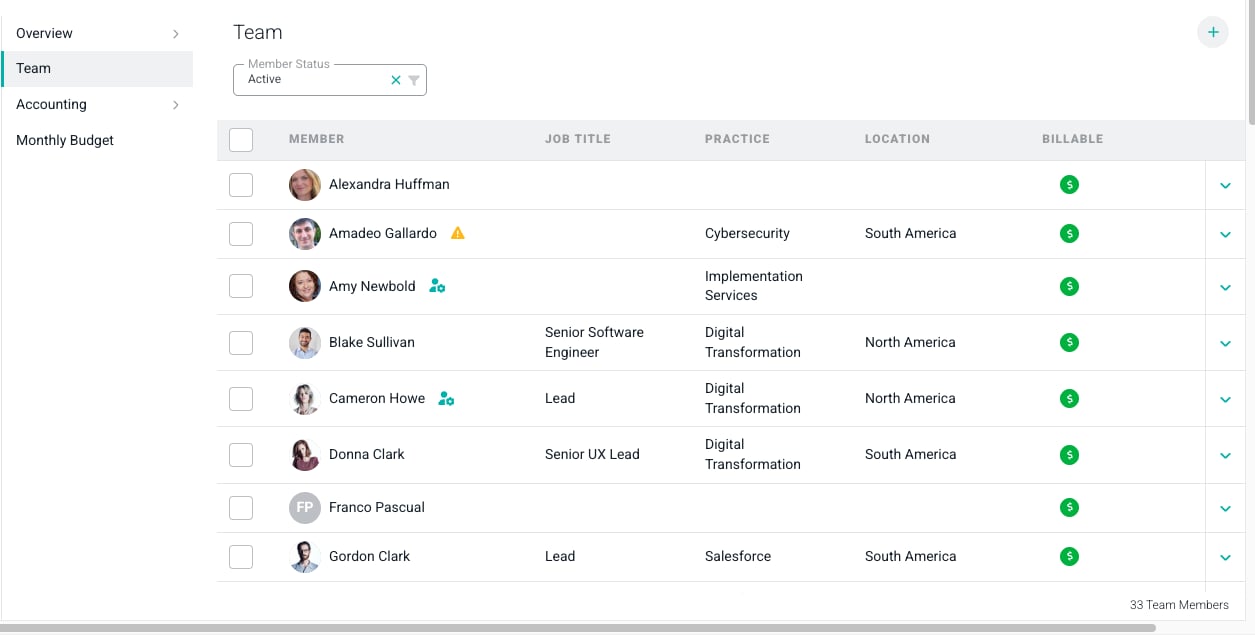
Figure 2 - When not Using Project Roles, Assign Bill Rates via the Team Section of the Settings Tab
Bill Rates on Fixed Fee Projects
While not required, bill rates can be configured on Fixed Fee and / or Fixed Monthly projects, in either of the ways illustrated above. There are several benefits to setting up bill rates on these projects:Time and Materials Basis
Ruddr will keep up with, and report on, the Time and Materials Basis of Fixed Fee projects. The Time and Materials Basis is the accumulation of fees (hours * bill rate) of any billable hours logged on the project, provided those billable hours have been logged by a member with a bill rate or the hours are associated with a project role with a bill rate. The Time and Materials Basis is presented on both the Progress view and the By Month view of the Services Revenue graph (Figure 3) on the project dashboard.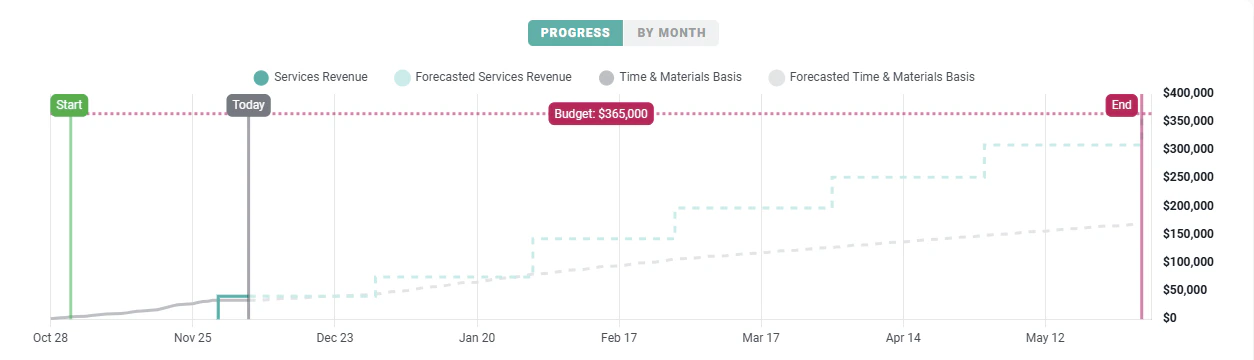
Figure 3 - The Grey Line on the Services Revenue Graph Represents the Time and Materials Basis of a Fixed Fee Project