

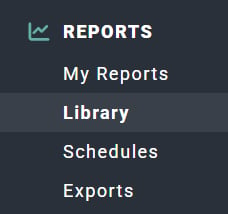
Figure 1 - Clicking on Library in the Reports Section of the Main Nav Bar to Access the Reports Library

Figure 2 - Performance Reports in the Report Library
- View bill rates
- View project revenue
- View cost and profit
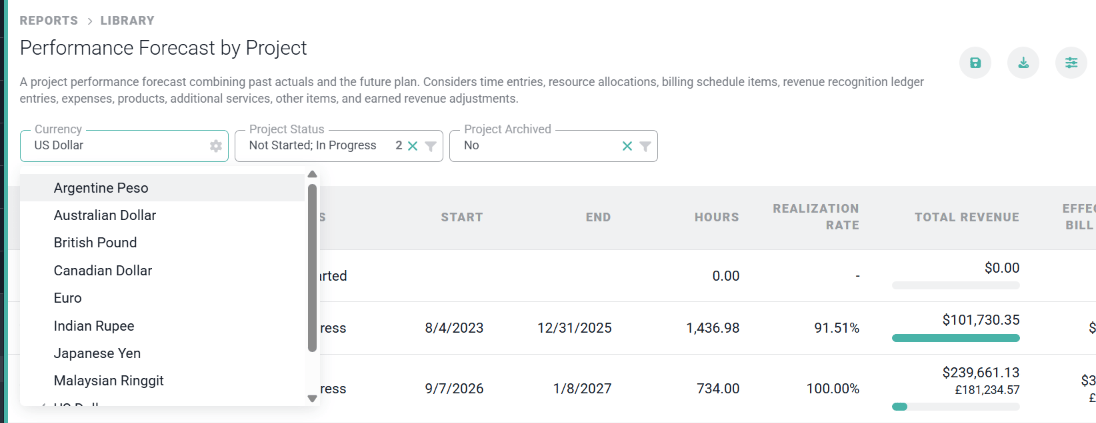
Figure 3 - Selecting the Currency in Which to View a Performance Report
Revenue Attribution and the Performance by Member Reports
There are multiple performance reports in Ruddr that offer a look at performance - services revenue, labor costs, and services gross margin - for members. With regards to services revenue, that is calculated for members based on the Billing Type of their project(s), and for Fixed Fee projects, on the Fixed Fee Revenue Attribution method for those projects. For Time and Materials projects, revenue for members is calculated as Hours * Fees. On Fixed Fee projects, based on the attribution method, revenue for members is either based on Percentage of Billable Hours, Percentage of Time and Materials Revenue, or Percentage of Services Cost. For more on this attribution, refer to the Fixed Fee Revenue Attribution article in the Ruddr Help Center. The following reports present differing views of performance data in your workspace:Performance by Client
The high-level performance of clients in the workspace. This report includes the following:- Client Name
- Hours
- Realization Rate
- Total Earned Revenue
- Effective Bill Rate
- Total Cost
- Total Profit
- Total Margin
Performance by Client Practice
Each client can be associated with a practice. This report provides a view of high-level financial performance of a practice’s client portfolio. Included in this report:- Client Practice
- Hours
- Realization Rate
- Earned Revenue
- Effective Bill Rate
- Total Cost
- Total Profit
- Total Margin
Performance by Member
This report provides insights into the financial performance of members within the workspace. For each member, the following information is included:- Member Name
- Total Hours
- Realization Rate
- Services Revenue
- Effective Bill Rate
- Cost
- Profit
- Margin
- Fixed labor cost: If a member’s labor cost is fixed, then the Cost is calculated as their Capacity for the period multiplied times their Total Hourly Labor Cost, as defined on their Member Profile.
- Hourly labor cost: If a member’s labor cost is hourly, then the Cost is calculated as the Total Hours for the period multiplied times their Total Hourly Labor Cost, as defined on their Member Profile.
Performance by Member Practice
Each member can be associated with a practice. This report provides a view of high-level financial performance of a practice’s members. Included in this report:- Member Practice
- Total Hours
- Realization Rate
- Services Revenue
- Effective Bill Rate
- Cost
- Profit
- Margin
- Fixed labor cost: If a member’s labor cost is fixed, then the Cost is calculated as their Capacity for the period multiplied times their Total Hourly Labor Cost, as defined on their Member Profile.
- Hourly labor cost: If a member’s labor cost is hourly, then the Cost is calculated as the Total Hours for the period multiplied times their Total Hourly Labor Cost, as defined on their Member Profile.
Performance by Project
This report presents the high-level financial performance of projects, including:- Project Name
- Client Name
- Hours
- Realization Rate
- Earned Revenue
- Effective Bill Rate
- Cost
- Profit
- Margin
- Budget Revenue
- Budget Revenue Left
Performance by Project and Member
This report presents the high-level financial performance of projects, but also provides insight into the financial performance of each team member on those projects. This report includes:- Project (and Client)
- Member
- Hours
- Services Revenue
- Effective Bill Rate
- Services Cost
- Services Profit
- Services Margin
Performance by Project and Task
A high-level report of performance for each project and insight into the financial performance of each project’s tasks. This report includes:- Project (and Client)
- Task
- Hours
- Services Revenue
- Effective Bill Rate
- Services Cost
- Services Profit
- Services Margin
- Budget Hours
- Budget Hours Left
- Percent Left
Performance by Project Practice
Each project can be associated with a practice. This report provides a view of high-level financial performance of a practice’s projects. Included in this report:- Project Practice Name
- Hours
- Realization Rate
- Earned Revenue
- Effective Bill Rate
- Cost
- Profit
- Margin
Performance by Project Type
Each project can be associated with a Project Type, as managed in Custom Data. This report provides a view of high-level financial performance of each project, grouped by type. Included in this report:- Project Type
- Hours
- Realization Rate
- Earned Revenue
- Effective Bill Rate
- Cost
- Profit
- Margin