

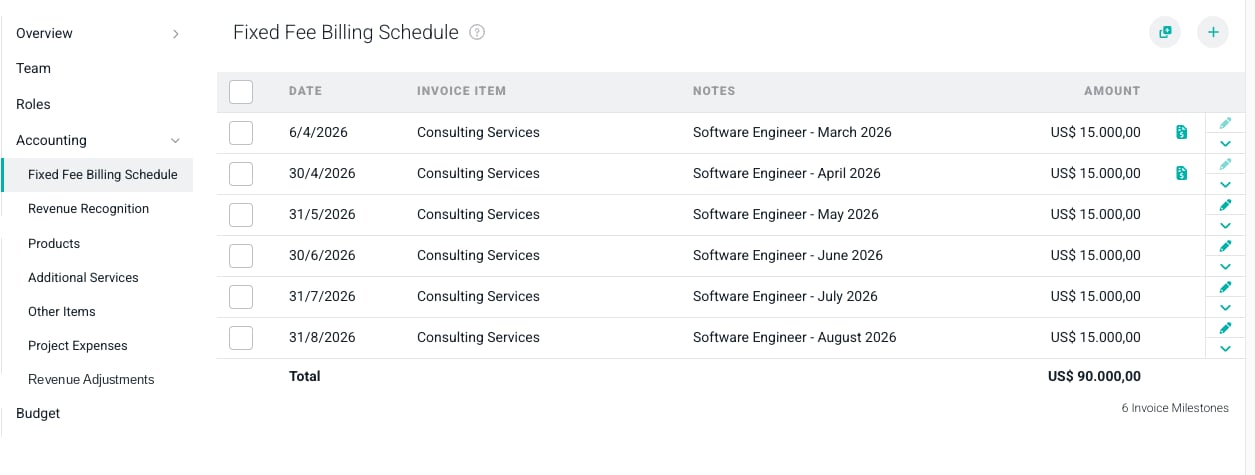
Figure 1 - The Accounting Section of the Project Settings Tab
Scheduling the Billing and Revenue Recognition of Additional Services
The Additional Services ledger in the Accounting section has two purposes. First, it allows for the services fees to be invoiced via the Ready to Bill screen as of the date of the item in the ledger. Second, it enables revenue recognition for the services on that same date. There are two ways to add services to the Additional Services ledger:- Add a Single Additional Service to the Additional Services Ledger
- Add a Recurring Additional Service to the Additional Services Ledger
Add a Single Additional Service to the Additional Services Ledger
To bill for an additional service, simply click on the + button at the top-right of the Additional Services ledger (Figure 2).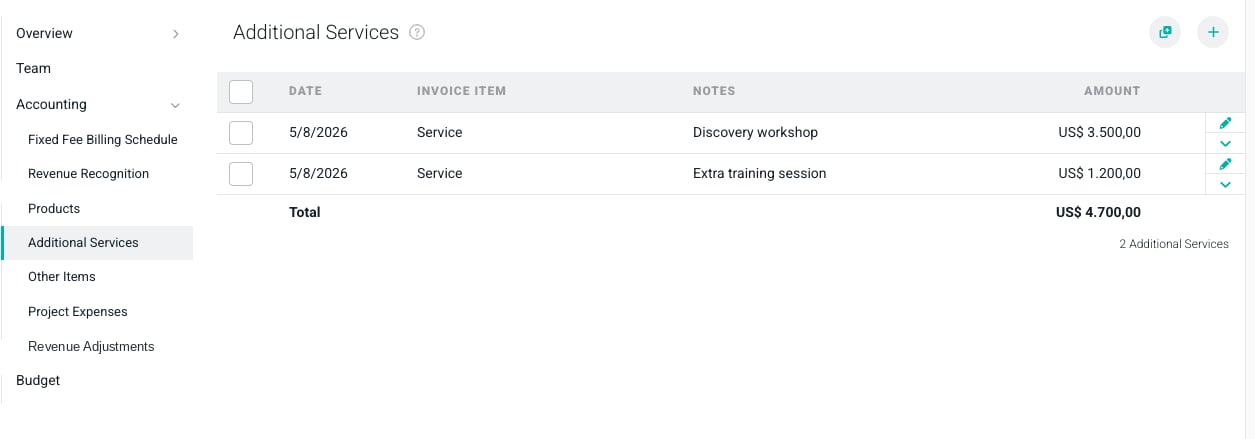
Figure 2 - The Additional Services Ledger in the Accounting Section
- Date - The date that you want the additional service to be picked up on the Ready to Bill screen for invoicing. This is also the date that the revenue associated with the service will be recognized on Ruddr reports and dashboards.
- Invoice Item - The Invoice Item that you want to use on the invoice for the additional service. Your Workspace Admin can define as many Invoice Items as needed for your company.
- Notes - The description of the additional service that will show on the invoice line item.
- Amount - The pre-tax amount you will charge the client for the additional service.
- Quantity - The number of units of this additional service that are being sold to the client.
- Rate - The pre-tax fee per unit.
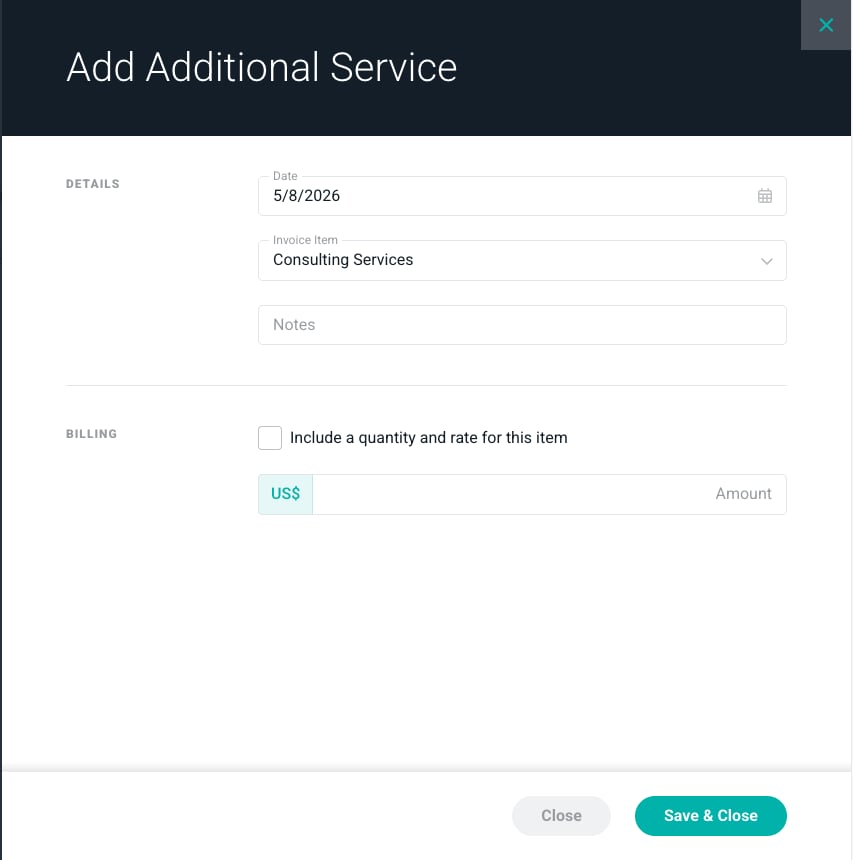
Figure 3 - The Add Additional Service Window
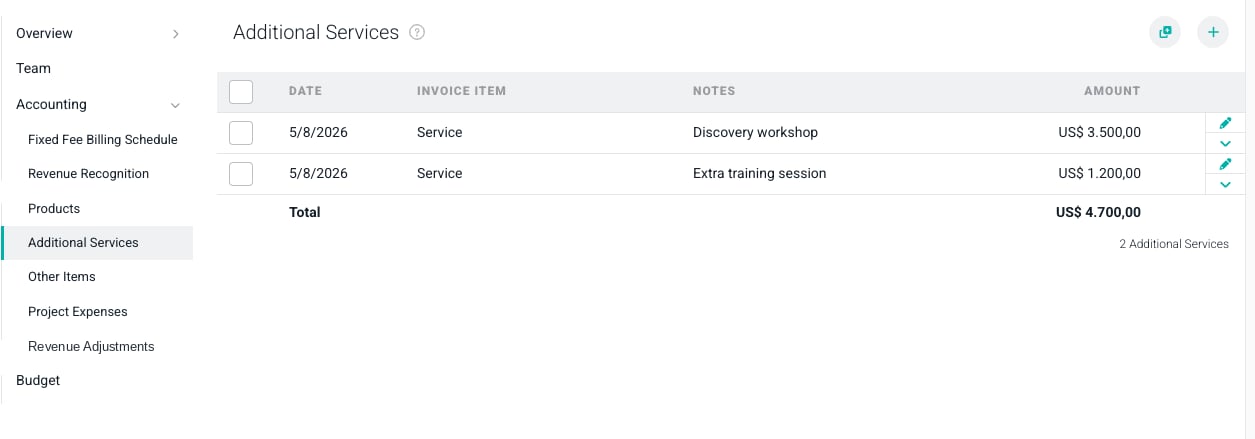
Figure 4 - The Additional Services Ledger Containing a Service to be Billed
Add a Recurring Additional Service to the Additional Services Ledger
Some Ruddr customers need to charge clients for a service in a monthly recurring manner. To set up recurring billing for a service, click the Add Multiple button at the top of the Additional Services ledger (Figure 2). This will open the Add Multiple Additional Services window (Figure 5).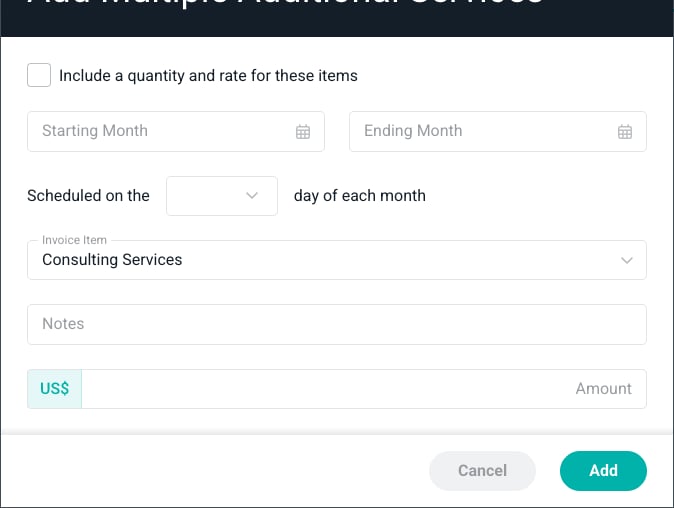
Figure 5 - The Add Multiple Additional Services Window
- Starting Month - The first month that you want this monthly recurring service to be invoiced.
- Ending Month - The final month that you want this monthly recurring service to be invoiced.
- Scheduled on the X Day of Each Month - The exact day of the month that you want this monthly recurring service to be picked up on the Ready to Bill screen. This is also the date that the associated revenue will be recognized.
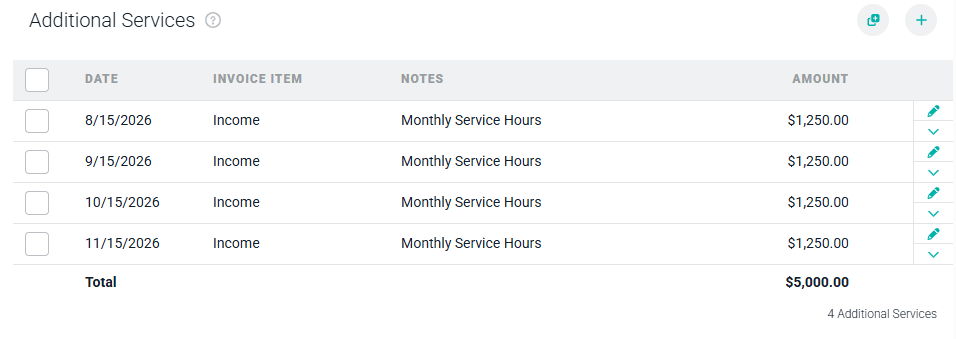
Figure 6 - The Additional Services Ledger with Recurring Service Fees