

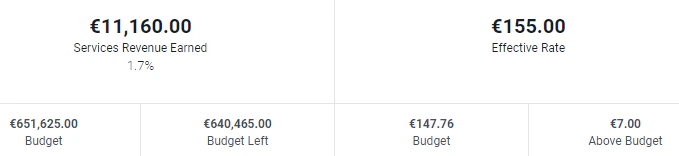
Figure 1 - Sample Project Dashboard Values Shown in Euros
Enabling the Multicurrency Feature
The multicurrency feature is only available within the Pro plan of Ruddr and by default the feature will be disabled in a new workspace. To turn the feature on, simply toggle the Multicurrency feature (Figure 2) within the Features page of Workspace Settings.
Figure 2 - Multicurrency Feature Toggle
Regional Settings
Every workspace in Ruddr can have its home currency set within Workspace Settings, regardless of whether or not the multicurrency feature is enabled. For workspaces that do not have multicurrency on, the home currency will be used for all monetary values within the workspace. For workspaces that have the multicurrency feature on, the home currency will be the default currency. The workspace’s default Time Zone and Regional Format can also be set from the Regional Settings area (Figure 3).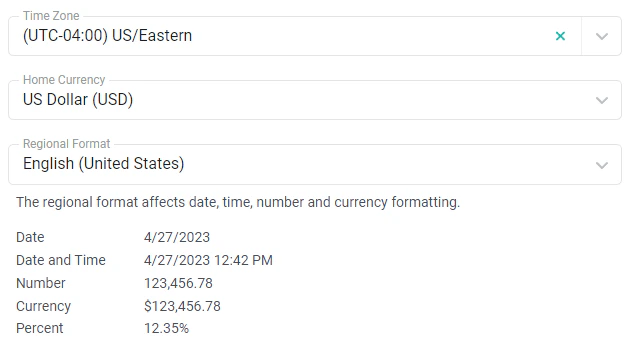
Figure 3 - Workspace Regional Settings
Setting the Workspace Currencies
When the multicurrency feature is enabled, the Regional Settings will include an additional field called Other Available Currencies (Figure 4). Simply select the currencies that you want to make available in the workspace in addition to the home currency.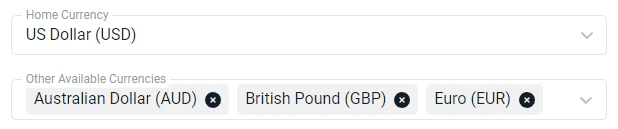
Figure 4 - Currency Options within Regional Settings