

- Find answers in Ruddr Help Center articles — features, settings, permissions, and workflows.
- Query workspace data — time, expenses, clients, projects, pipeline, billing, and members.
- Analyze performance — revenue, margin, utilization, forecasts, and trends.
- Summarize results — turn raw data into plain-English takeaways, custom reports, and custom graphs.
- Build rollups — like revenue by client, client industry, member, project, or month.
- Explain general concepts — PSA and professional services terms
Ruddr Assistant Permissions
The Ruddr Assistant is available in all Ruddr plans and to all workspace members. The information the assistant will retrieve and analyze is based on each member’s security role. The assistant will only return data that the member otherwise has access to via Ruddr reports, dashboards, and screens. To give members access to the assistant once the feature is enabled, you can set the Ruddr Assistant enabled setting on any member’s profile. Note that this setting can also be managed via the Members bulk editing capabilities within workspace settings. The same setting also controls whether a member can connect an outside AI application, such as Claude or ChatGPT, to your workspace. See Connect AI Apps to Ruddr.Accessing the Ruddr Assistant
You can launch the Ruddr Assistant via the Ask Ruddr button (Figure 1) at the top of screen.
Figure 1 - Click the Ask Ruddr Button to Access the Ruddr Assistant
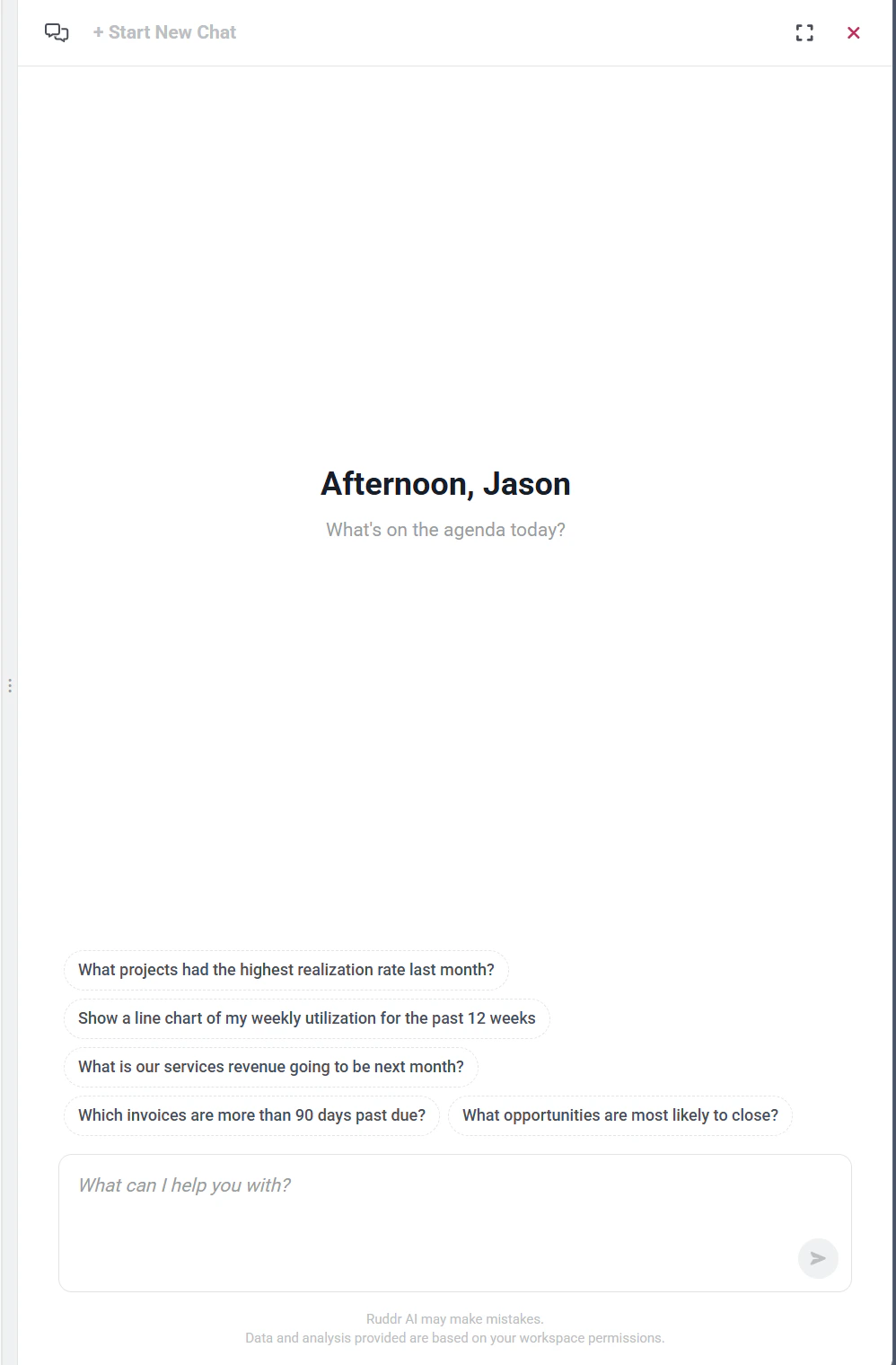
Figure 2 - Access the Assistant in the Ruddr UI
Figure 3 - Drag the Handle / Border That Lines the Left Side of the Panel to Expand/Collapse

Figure 4 - Click the Expand Button to Enlarge the Assistant Panel

Figure 5 - Begin a New Chat Session with the Ruddr Assistant

Figure 6 - Access Your AI Chat History to Refer to Prior Conversations
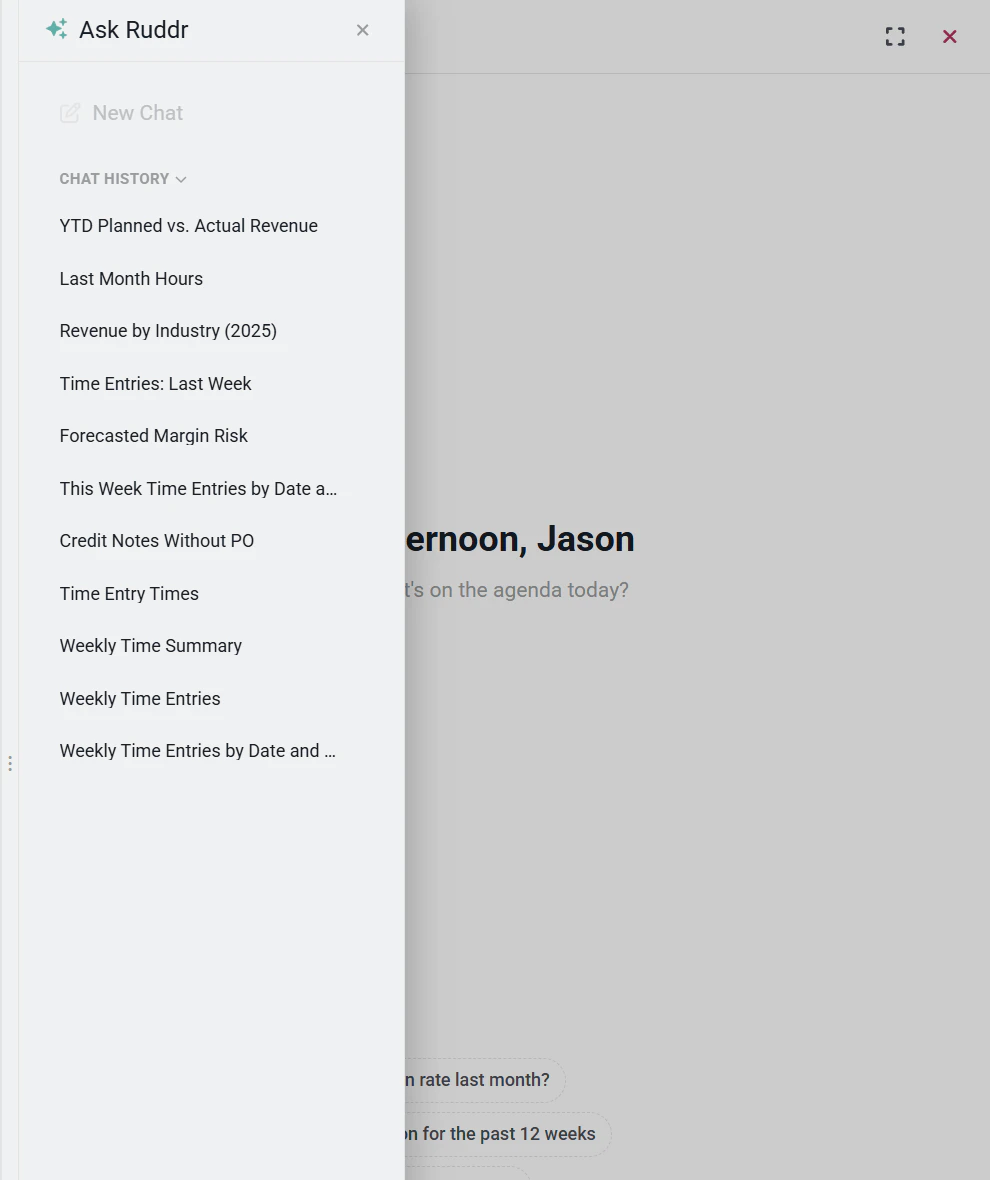
Figure 7 - Access Your Chat History with the Ruddr Assistant
Custom Reports and Charts
In addition to providing text-based answers and analysis, the Ruddr Assistant can create custom reports and charts. The assistant allows for easy export of these artifacts for use in software products such as Microsoft PowerPoint or Google Slides. When showing a custom report, the assistant will include buttons at the bottom that allow you to expand/collapse report rows or save the report data to a CSV (Comma Separated Values) file (Figure 8).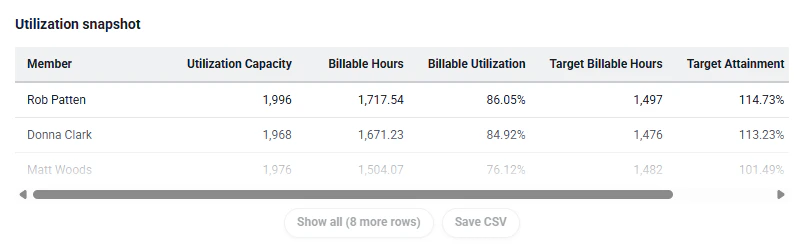
Figure 8 - Expand/Collapse Report Rows or Export to CSV
- Bar
- Line
- Pie
- Stacked bar
- Grouped bar
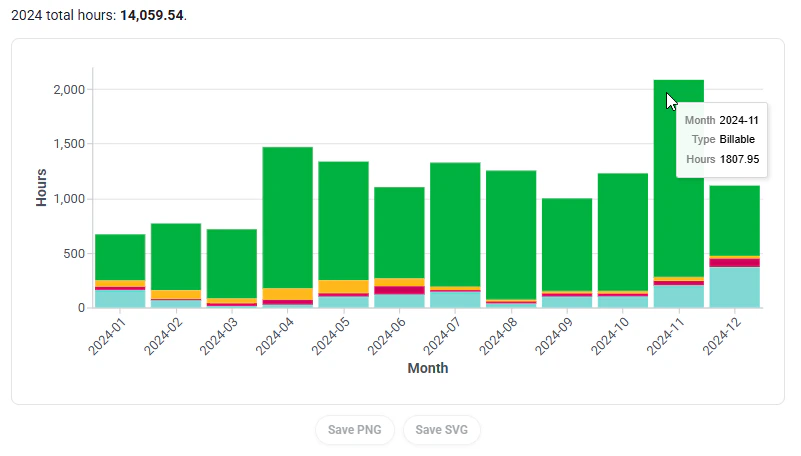
Figure 9 - A Stacked Bar Chart Created by the Ruddr Assistant