


Figure 1 - Sample CSV File Data
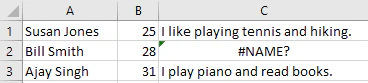
Figure 2 - #NAME? Error Displayed in Excel

Figure 3 - From Text/CSV on the Excel Data Tab
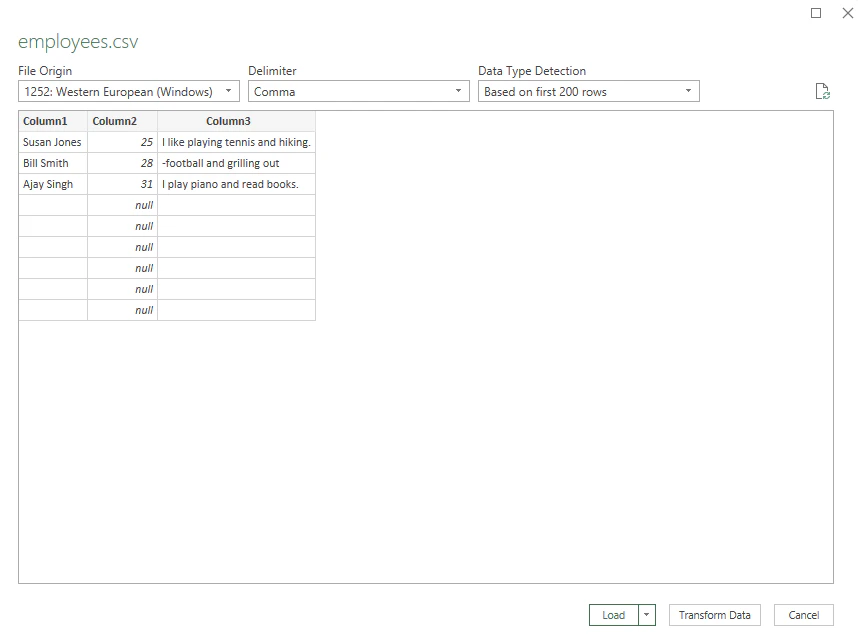
Figure 4 - Excel Data Import Preview
Excel treats CSV values that start with a hyphen as formulas; use the From Text/CSV import on the Data tab to display the text correctly.
Figure 1 - Sample CSV File Data
Figure 2 - #NAME? Error Displayed in Excel
Figure 3 - From Text/CSV on the Excel Data Tab
Figure 4 - Excel Data Import Preview