

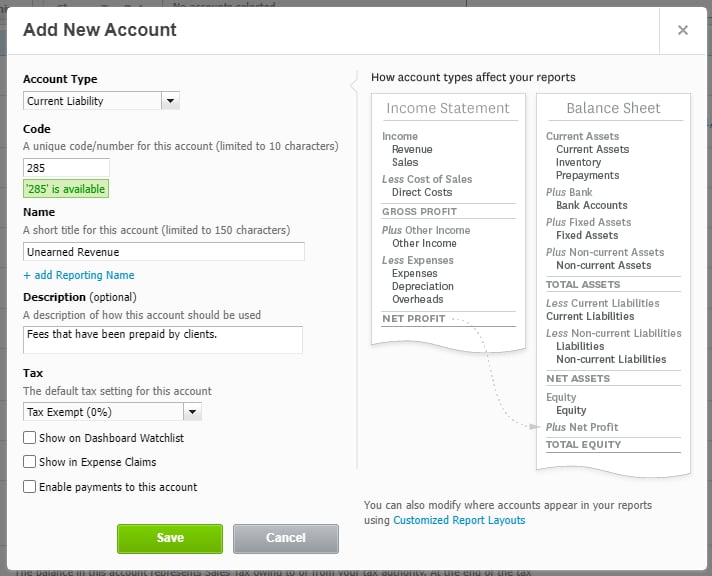
Figure 1 - Add an Unearned Revenue Account in Xero
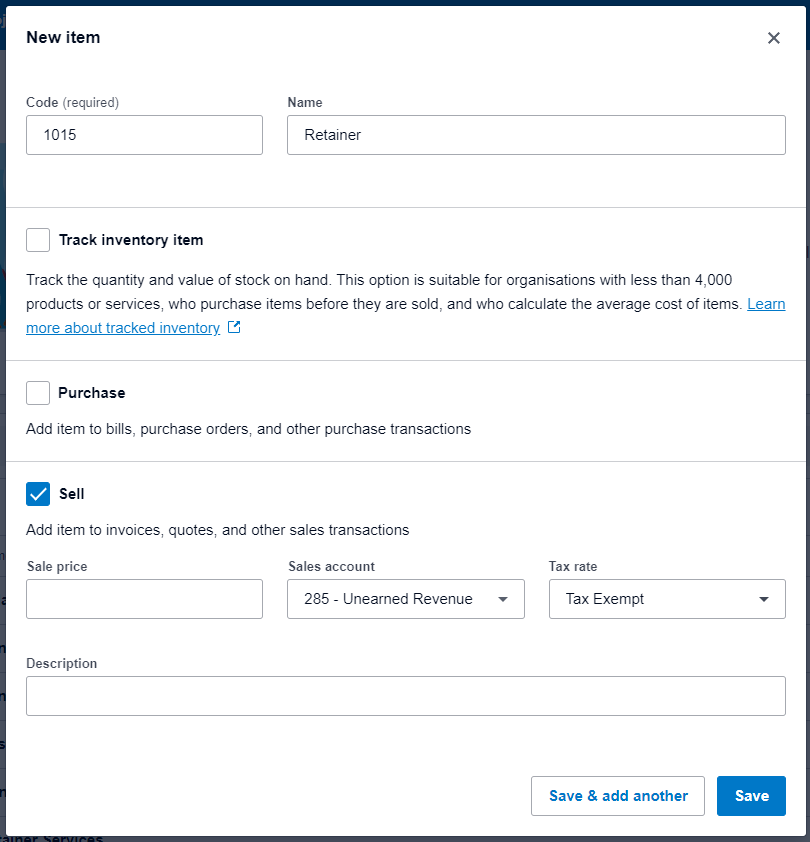
Figure 2 - Retainer Item Using the Unearned Revenue Sales Account
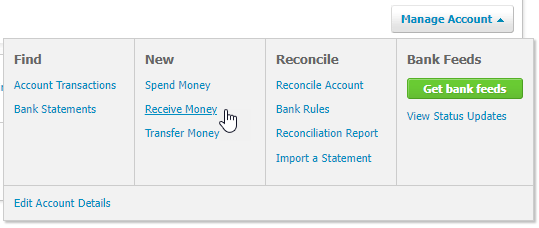
Figure 3 - Receive Money Option in the Manage Account Menu
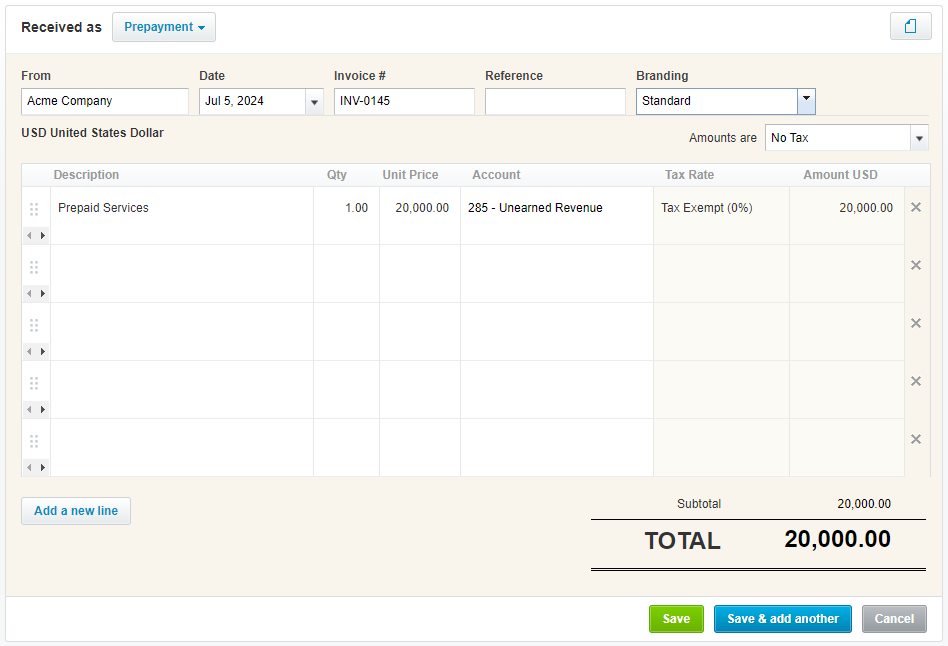
Figure 4 - Record a Prepayment to Unearned Revenue

Figure 5 - Add a Retainer Invoice Item in Ruddr
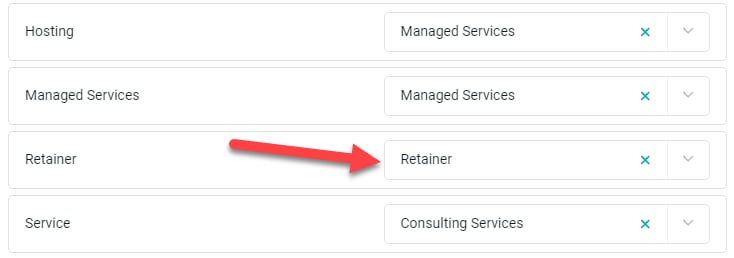
Figure 6 - Map the Retainer Invoice Item to the Xero Retainer Item
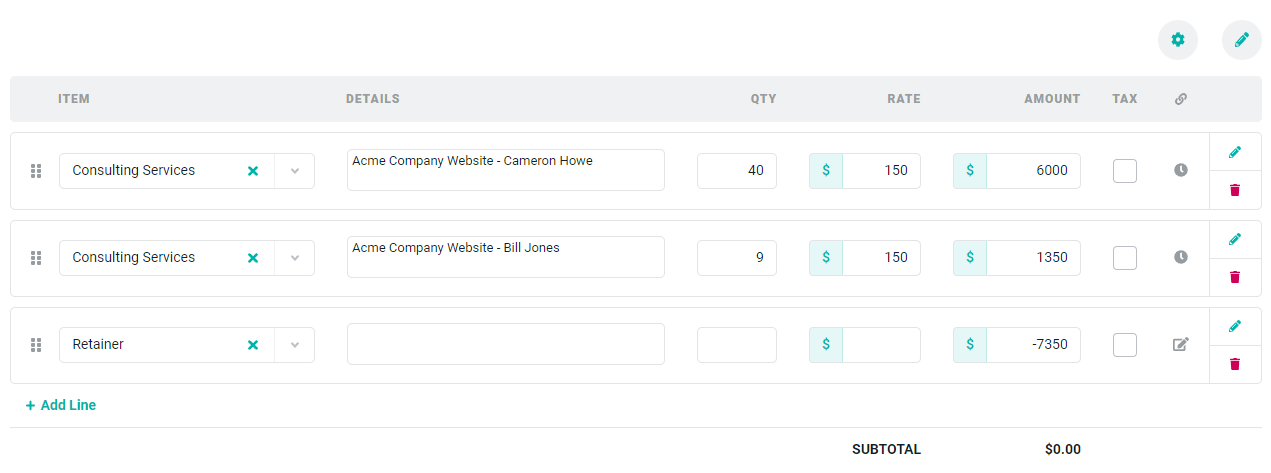
Figure 7 - Invoice Offset by a Retainer Line