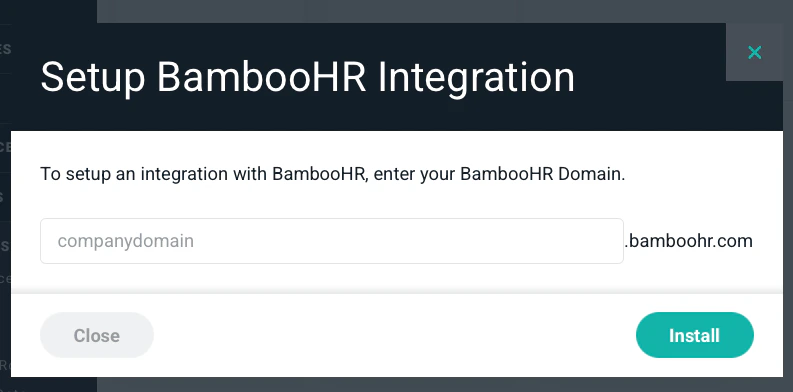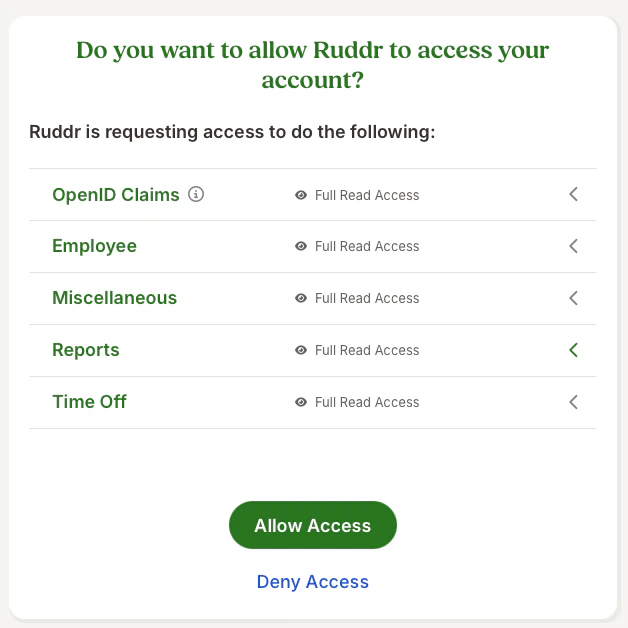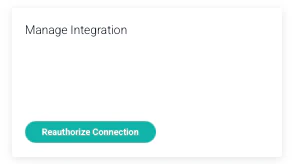
There are times when a Workspace will need to reauthorize their BambooHR integration. Once you reauthorize in Ruddr, you will need to change your integration to authenticate to BambooHR via Open Authentication (OAuth) as opposed to via an API key from BambooHR. Midway through 2025, BambooHR introduced Open Authentication as a preferred method for external applications to connect to, and authenticate to, BambooHR. This was a departure from the prior method of authentication, which required BambooHR users to generate, and provide, an API key to those external applications. Applications that integrate with BambooHR by using an API key were permitted to continue using that process, provided that future connections leveraged OAuth. However, once a change in authentication was initiated, such as by reauthorizing the integration in Ruddr, you needed to then begin authenticating to BambooHR via OAuth. Important note: The change from API to OAuth needs to be made by an admin with full access in BambooHR. If an admin without full access makes the change, you may risk only partial data being updated. Step 1: Log into BambooHR Being logged into BambooHR (having an active browser session) prior to beginning this reauthorization process ensures a seamless experience with setting up the integration. Also, you will want to ensure that you are setting this integration up using a BambooHR user account with full access to all BambooHR users and time off policies. Step 2: Reauthorize integration in Ruddr In Ruddr, under Settings / Integrations, find the BambooHR integration. Once you are in the settings for the BambooHR integration, select the “Reauthorize Connection” option. (Figure 1)Documentation Index
Fetch the complete documentation index at: https://help.ruddr.io/llms.txt
Use this file to discover all available pages before exploring further.