> ## Documentation Index
> Fetch the complete documentation index at: https://help.ruddr.io/llms.txt
> Use this file to discover all available pages before exploring further.
# Web Link to an Invoice
All invoices in Ruddr have an associated web link. A web link is a unique URL that allows you to provide access to the invoice to anyone inside or outside of your company. If you do not use Ruddr's built-in invoice email feature, you can instead paste the web link into an email that you compose and send. To retrieve the web link for an invoice, simply click on the **Get Web Link** option on the invoice menu (Figure 1), available in the [invoices list](/billing/invoices-list) or when viewing the [invoice detail](/billing/configure-a-draft-invoice).
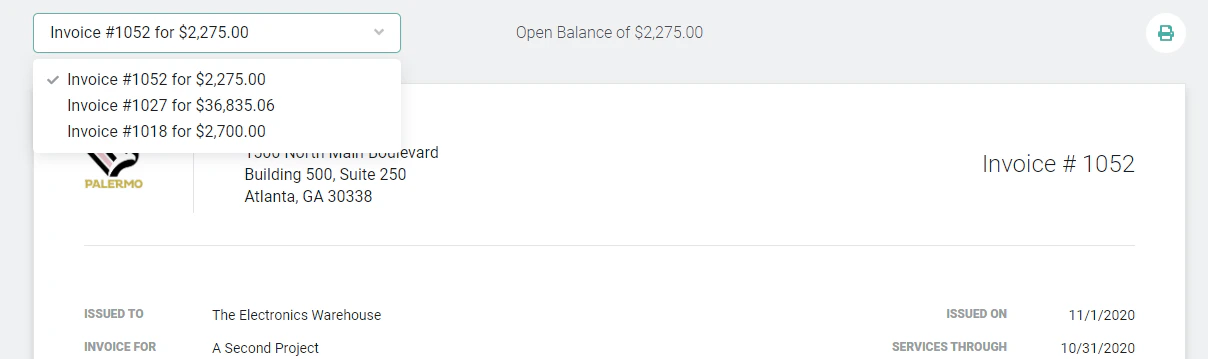 Figure 1 - Use the Invoice Action Menu to Retrieve a Web Link for an Invoice
Clicking on this menu item will bring up a window (Figure 2) that will include the web link URL. You can click on the **Copy URL** button to copy the URL to your clipboard.
Figure 1 - Use the Invoice Action Menu to Retrieve a Web Link for an Invoice
Clicking on this menu item will bring up a window (Figure 2) that will include the web link URL. You can click on the **Copy URL** button to copy the URL to your clipboard.
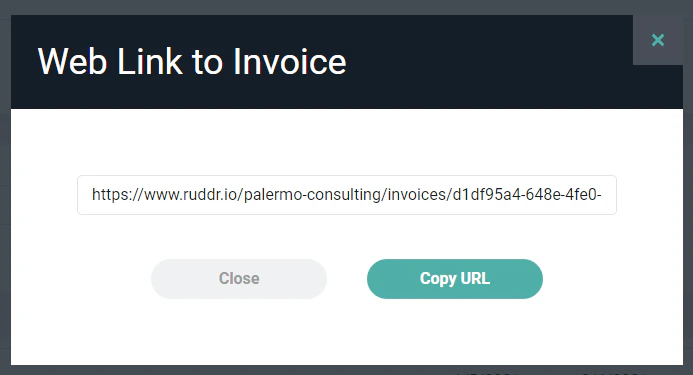 Figure 2 - Copy the URL to the Web Version of the Invoice
*It is important to realize that web links are not password protected*. Anyone who has the web link can view the associated invoice. A web link to a draft invoice will only show that single invoice while a web link to a published invoice will include a drop-down (Figure 3) that will show all published invoices related to that client.
Figure 2 - Copy the URL to the Web Version of the Invoice
*It is important to realize that web links are not password protected*. Anyone who has the web link can view the associated invoice. A web link to a draft invoice will only show that single invoice while a web link to a published invoice will include a drop-down (Figure 3) that will show all published invoices related to that client.
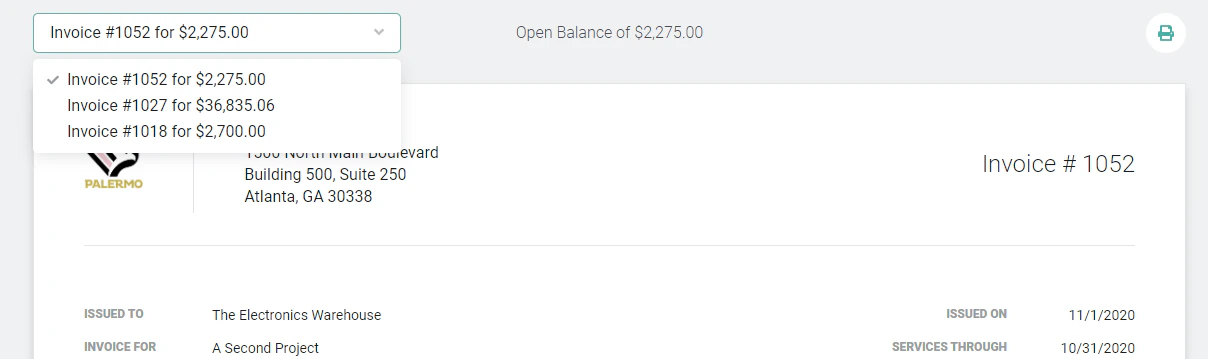 Figure 3 - When Viewing the Web Version of a Published Invoice, the User has Access to all Published Invoices for a Client
When an invoice is a draft or has been fully paid, the word "DRAFT" or "PAID" will be shown (Figure 4) at the top of the web link view of the invoice.
Figure 3 - When Viewing the Web Version of a Published Invoice, the User has Access to all Published Invoices for a Client
When an invoice is a draft or has been fully paid, the word "DRAFT" or "PAID" will be shown (Figure 4) at the top of the web link view of the invoice.
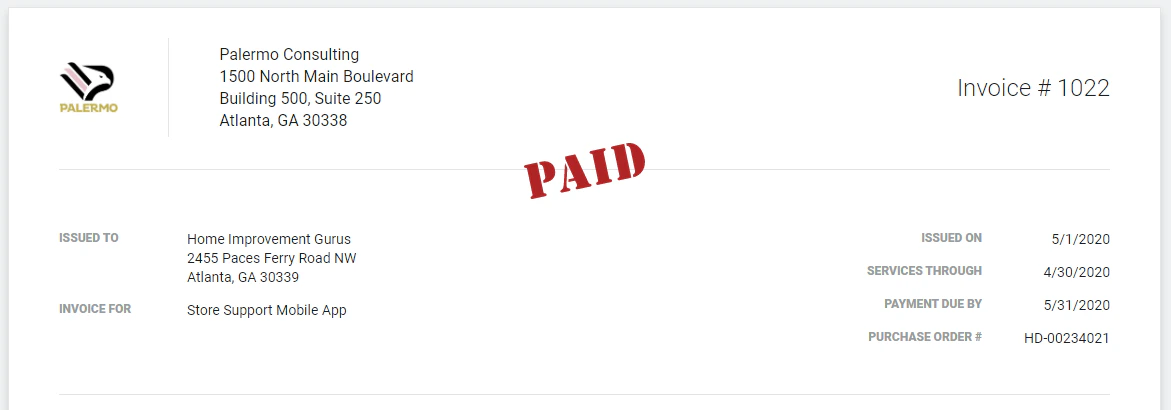 Figure 4 - Viewing a Web Version of a **Paid** Invoice